Can You See Who Views Your Profile on Facebook? A Complete 2025 Guide
Jump To Key Section
- Can You See Who Views Your Profile On Facebook?
- How Can You Find Out Who Viewed Your Facebook Profile? (Story, Post, Messages, Friend Requests)
- How to View Who Checks Your Facebook Profile Using Advanced Methods?
- Can I Control Who Views My Facebook Profile or Page?
- Tips To Protect Your Digital Privacy on Facebook
- Conclusion
- FAQs
Many Facebook users are often perplexed by the question, ‘Does Facebook show who viewed your profile?’ But unfortunately, Meta has stated that it does not allow the information on who has viewed your Facebook profile.
While there is no certain way that leads you to definite information about your profile visits, you might be wondering, “Can you see who views your profile on Facebook?”
To help you with your query, we have prepared an article with certain steps that you can follow to have a fair indication of the people who might have visited your account.
Quick Answer:
Due to Facebook’s strict community guidelines, there is no conclusive or certain way to check who has viewed your profile on Facebook. However, you can get a general idea of your profile visitors by analyzing the recent engagement on your Stories, Posts, Messages, and Friend Requests.
Can You See Who Views Your Profile On Facebook?

The appropriate answer to your query is NO, as you can’t directly check who viewed your profile due to Facebook’s strict community guidelines.
While Facebook has safety protocols designed to uphold the privacy of its users, it denies any direct method to precisely check your profile views.
However, while there is no direct way possible, there are still certain ways that can help you solve your query of “How can you see your profile views on Facebook?” These basically include monitoring your stories, posts, messages, and friend requests.
Also, if you are thinking that, can you see who viewed your Facebook using third-party apps? While these apps don’t guarantee precise information about your profile visits, using them will bring several security risks. With the use of third-party apps, you will expose your account to potential data leaks and malware attacks.
Also Read: How to Remove Photos From Facebook? (Answered)
How Can You Find Out Who Viewed Your Facebook Profile? (Story, Post, Messages, Friend Requests)
If you have the question, “How can you find out who views your Facebook profile?” You can follow these steps to get a fair indication of the people who have recently visited your Facebook account.
How Do You View Who Views Your Facebook Profile Through Stories?
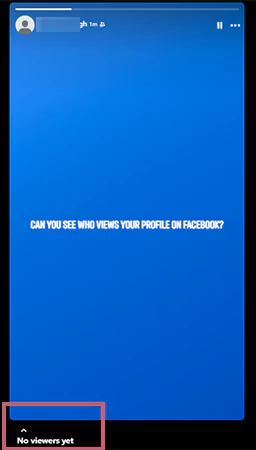
The best way to analyze who has viewed your profile is through the story views, as, unlike the profile views, Facebook lets you know who has viewed your story. Also, some claims suggest that people who appear at the top of the viewers list are those who often visit your account.
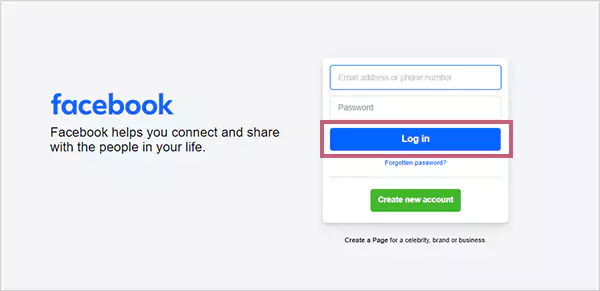
- Log in to your Facebook Account.
- Tap on Your Story at the top of your feed.
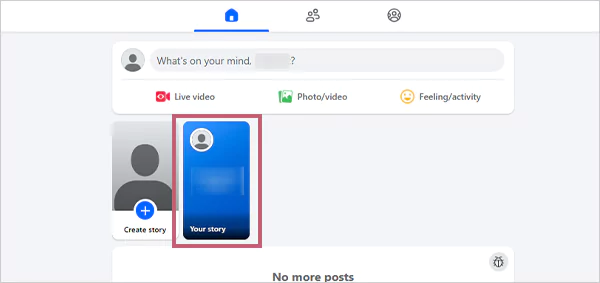
- Examine the list of Viewers mentioned in the bottom left corner to determine who may have visited your profile.
How to See Who Viewed Your Profile On Facebook Through Posts?
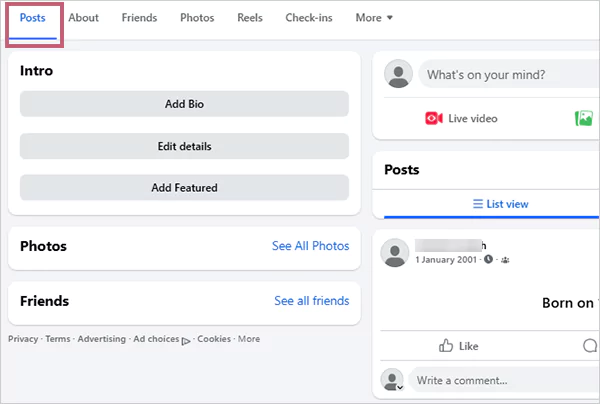
The engagement activity on your Facebook profile often determines who has viewed your account. To view the post metrics on your profile, just follow these easy steps.
- Log in to your Facebook account and then scroll down to Posts.
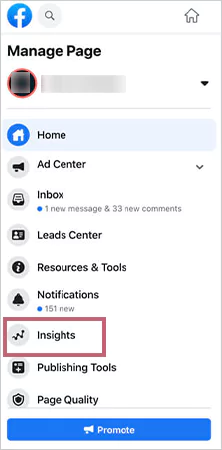
- Click either on the People Reached, Engagements, or Insights tab to access the data about your post’s reach and interaction.
How to View Who Sees Your Facebook Profile Through Messages?
While there is no solid feature that tells you Facebook profile views, Messenger can provide you with some good insights into people who have viewed your account. The messages and message requests that you have recently received are from the people who have visited your account.
However, it does not guarantee the exact data, as receiving or sending a message to someone won’t reveal who has viewed your profile.
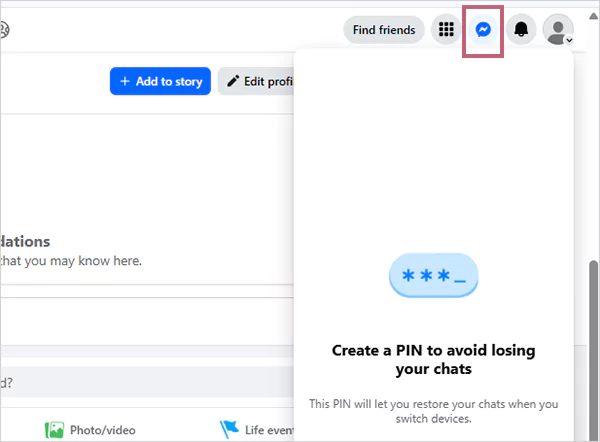
- Log in to your profile and click on the Messages or Messenger icon placed at the top right section of your profile to check sent or received messages.
How to View Who Visited Your Profile on Facebook Through Friend Requests?
The friend requests that you have received recently provide you with the exact information about the people who have visited your profile on Facebook.
Also, the mutual friends and suggested friends options provide you with an indication of the people who might have opened your profile.
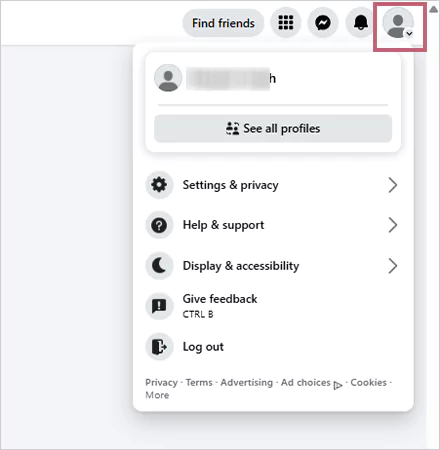
- To check the friend requests that you have received, open the Profile section by clicking on your name in the top right section.
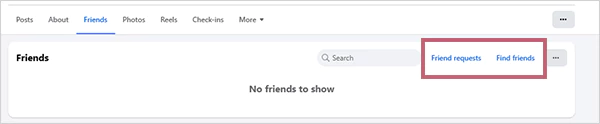
- Check for the Friend Requests under the Friends tab. To search for mutual friends and other people, click on Find Friends.
Also Read: Facebook Event Cover Photo Size: Introduction, Method to Create, Creative Tips, and More!
How to View Who Checks Your Facebook Profile Using Advanced Methods?
While the steps mentioned above give you a fair indication of your profile views, there is also a certain method through which you can check your recent profile visits.
Since you have asked how to see who views your Facebook profile, you can follow these simple steps to recognize your last profile visit.
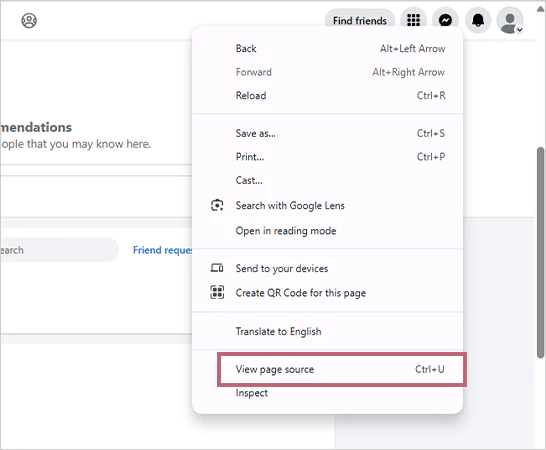
- Log in to your Facebook account on the Google Chrome browser and press CTRL+U, or right-click on the performance panel to select the option of View Page Source.
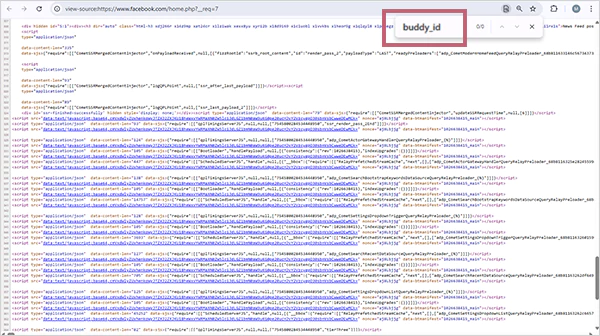
- Press the search shortcut (CTRL+F) and search for buddy_id in the pop-up box. There you will find several buddy IDs. From those buddy IDs, you will have to select the numerical ID and the name of that ID’s owner.
- Open your Facebook account in a new tab, and in its URL, paste the numeric code or the buddy_id after facebook.com. For instance, you have to paste the code like facebook.com/1000000343282544626.

You can follow these steps in order to access the data of your profile visits. However, it possesses certain limitations, as it is restricted to displaying only the last profile visit.
Also Read: Learn How to Delete a Facebook Group Effectively: Say Goodbye to Group Chaos!
Can I Control Who Views My Facebook Profile or Page?
If you wish to increase your profile’s anonymity and limit the information that people can access from your Facebook account, you can achieve that by changing certain settings.
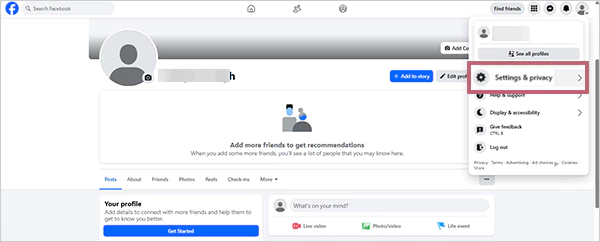
- Log in to your Facebook account and select the Settings and Privacy tab under the Account section.
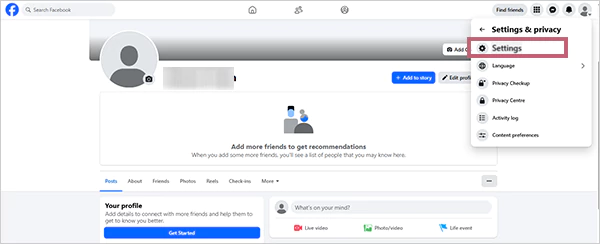
- Select the Settings option.
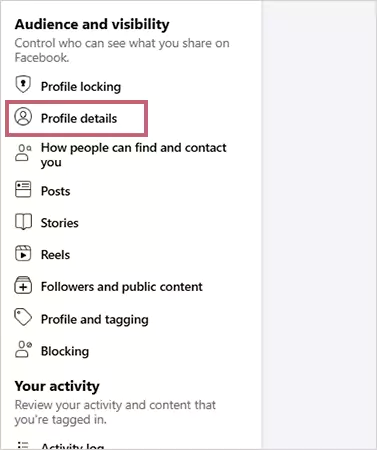
- Click on the Audience and visibility placed in the left section, and hit the Profile details option. You can also change your Email on Facebook using this setting.
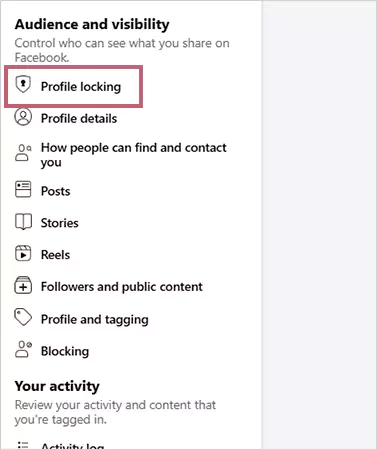
- To make Facebook private or lock your profile, click on the Profile Locking tab.
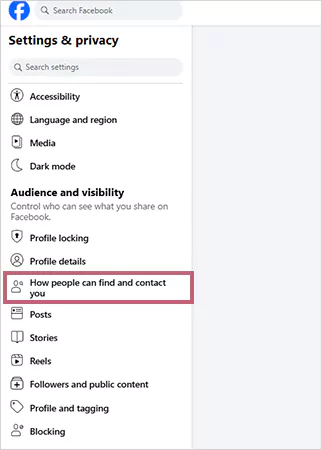
- To change who can send you friend requests, click on the ” How People Find and Contact You tab and customize accordingly.
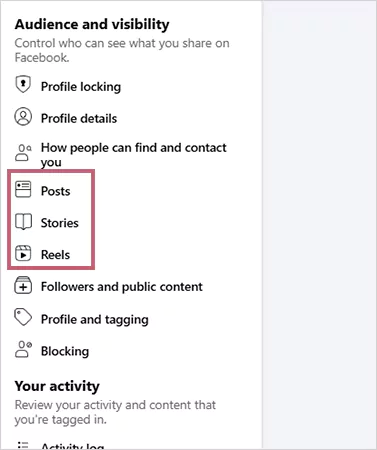
- To configure the settings related to the content that you publish on Facebook or limit access, click on the Posts, Stories, or Reels options.
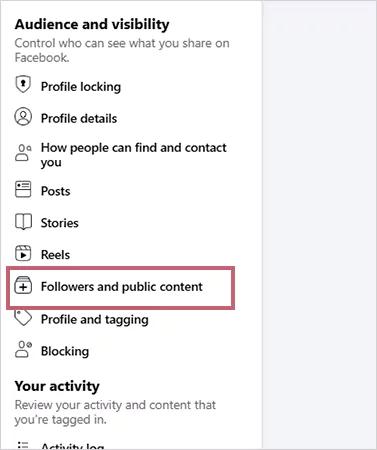
- Click on the Followers and Public Content section to customize your following list and remove unwanted followers, or control who has the right to interact with your published content.
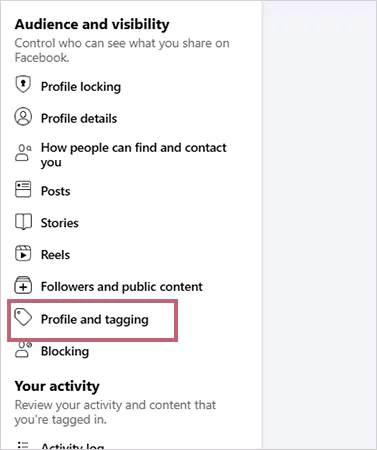
- Click on the Profile and Tagging tab to configure who can post on your profile and check your tagged posts. Also, you can turn off comments on your Facebook post efficiently using this setting.
Also Read: How to Change Your Name on Facebook in 2025? (Answered)
Tips To Protect Your Digital Privacy on Facebook
Since social media is always vulnerable to cyber threats and data leaks, it is essential to follow certain security measures to enhance the privacy of your Facebook profile. You can keep a note of the following points to protect your Facebook account from digital threats.
- The primary step is to enhance the security of your Facebook account with the use of robust, undetectable, and unique passwords that are difficult to crack by anyone.
- You should also configure login alerts so that you can be notified if someone tries to sneak into your account.
- It is advisable to set up two-factor authentication (2FA) to create an additional layer of protection that will help in avoiding any anonymous person from logging into your account, even if they know your password.
- Configuring the privacy tools on Facebook is also essential so that you can control who can view your stories and check your account. You can also restrict the amount of information that people can access from your account.
- It is preferable to avoid the use of any third-party software that promises to provide you with data on your profile views, as they hack into your account and cause data leaks, and can pose other cyber threats.
- You should be careful about what you post on your profile and the Facebook pages or accounts that you visit, as certain pages or suspicious links can lead to phishing attacks.
Also Read: How to Delete a Facebook Page Effectively? (2025)
Conclusion
Since it’s a common question among social media users, can you see who views your profile on Facebook? While there’s no exact method to find out the details about your profile visits, these steps can surely hint at the people who have viewed your profile.
However, we also suggest not using third-party apps to reveal this information and using your digital accounts within the guidelines to maintain privacy and security.
FAQs
Ans: No, you can not simply check who viewed your Facebook profile due to Facebook’s strict security guidelines. However, you can use certain methods to have a clue about the people who have visited your profile.
Ans: No, any Facebook account is not authorized to see if you have viewed their Facebook profile, as this feature is not supported by Facebook.
Ans: No, Facebook doesn’t allow its users to check who has visited their profile and viewed their posts. Nevertheless, users can get a fair indication of who has viewed their photos using the Facebook insights option.
Sources: