How to Delete Twitter Account from Desktop, iOS, and Android in Simple Steps? [Answered]
Have you ever thought of quitting X (formerly Twitter) but weren’t sure how to delete Twitter account? If yes, don’t worry, you have reached the right place!
Whether you want to take a break from social media or just get tired of scrolling, deleting your X profile is now as easy as removing Twitter followers.
However, the deletion process is entirely straightforward and hardly takes a few minutes; it can be carried out on any device, such as a desktop, iOS, or Android.
Therefore, let’s dive into this instruction blog post, where we have mentioned the simple yet effective measure of how do you delete your Twitter Account.
Quick Answer:
How do you delete a Twitter account? Quick Steps to Follow-
Open the X application on your device>> Tap on your profile picture>> Scroll down to Settings & Support>> Go to Settings and privacy>> Tap on Your account>> Navigate to the Deactivate Account>> Deactivate>> Enter your password>> Deactivate
How to Delete Twitter Account on Your Devices?
Deleting Twitter account requires a straightforward process, which will hardly take 4 to 5 minutes. Notably, remember that you cannot instantly delete your profile from the platform.
First, you need to perform the deactivation process, by which your account will be temporarily removed from the platform for the next 30 days.
During this period, if you don’t log in to your profile, it will be permanently deleted from the X.
Moving further, let’s examine the simple yet effective steps of deleting Twitter account on various devices to answer your query, “How do I delete my Twitter account?”.
1. How to Delete a Twitter Account on Desktop?
To delete your X profile on your Windows or Mac, carefully adhere to the steps mentioned below.
- Open any web browser on your device. For instance, Google Chrome.

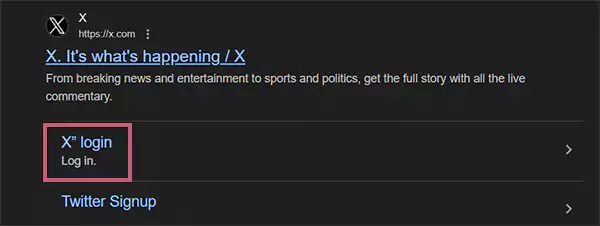
- Go to the login page of X (formerly Twitter).
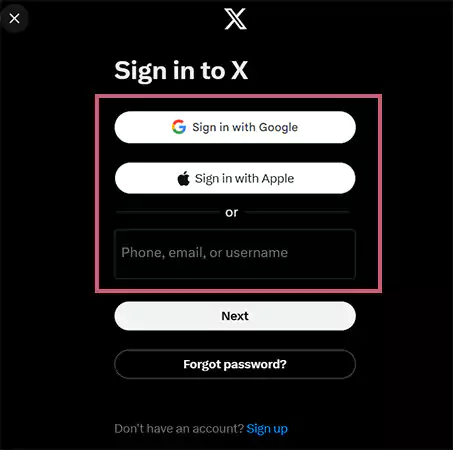
- Sign in to your X profile with your Google or Apple account or by entering your Phone, email, or username in the given box.
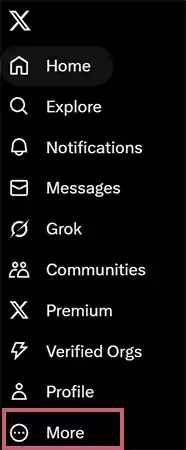
- Click on the More option given on the left side main menu panel.
- Head over to the Settings and privacy option.

- Click on Deactivate your account, situated under the “Your account” section.
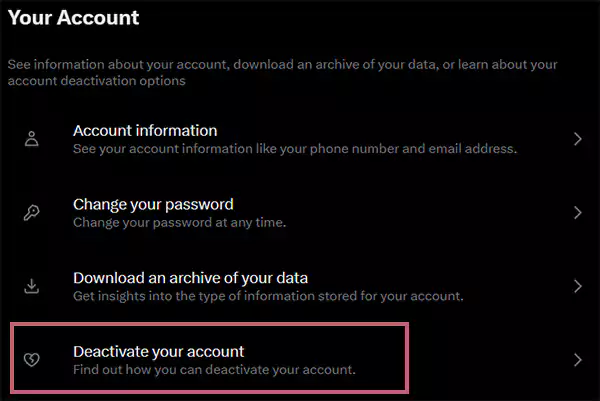
- Attentively go through the information provided by the platform to be more certain about things you should know before finalizing the deleting process.
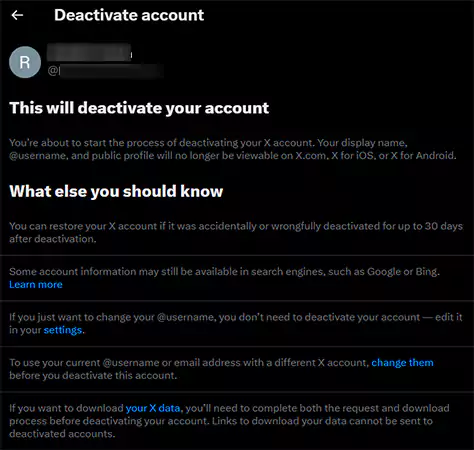
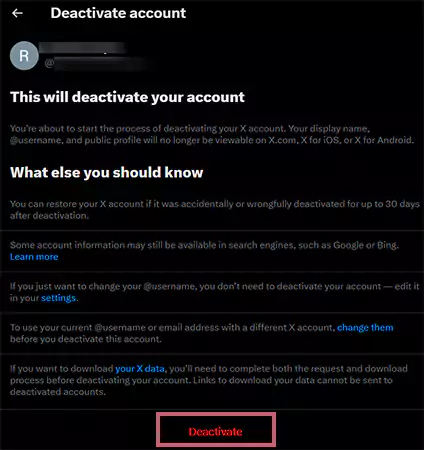
- Click on the Deactivate option.
- Enter your X account password in the given box.
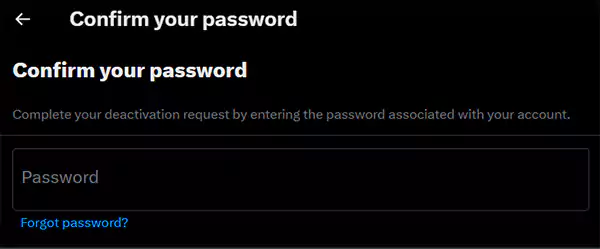
- Lastly, go for the Deactivate option to confirm the deletion of your profile.
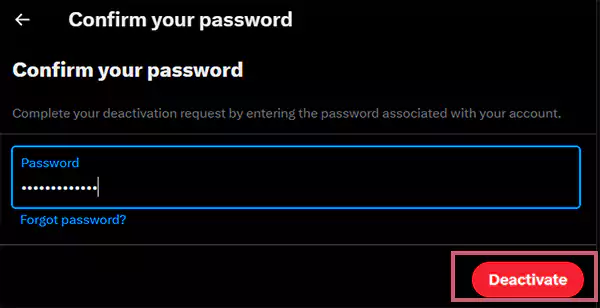
It’s done! By following the aforementioned steps, your account will be permanently deleted from the platform after completing the temporary period of 30 days.
2. How to Delete a Twitter Account on iOS and Android Using an App?
Interestingly, both iOS and Android execute the same steps for deleting Twitter account.
Therefore, below we have illustrated the effective instructions to help you out with your concern, “How to delete my Twitter account?”. Take a look.
- Look for the X application on your handset.

- Tap on your profile picture, situated in the top left corner.

- Scroll down and locate the Settings & Support option from the dropdown menu list.

- Tap on Settings and privacy.

- Go for the Your account option.
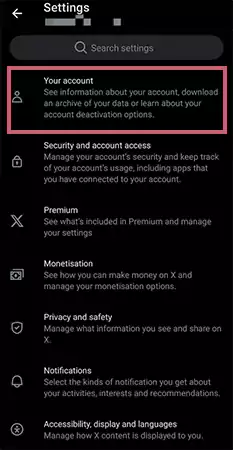
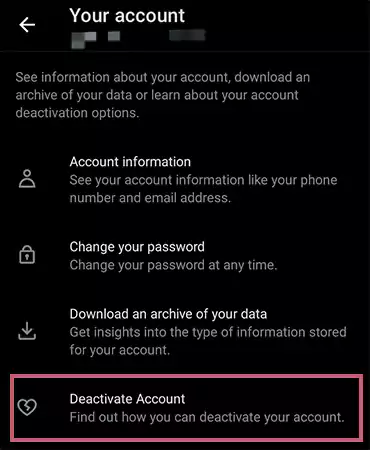
- Navigate to the Deactivate Account option.
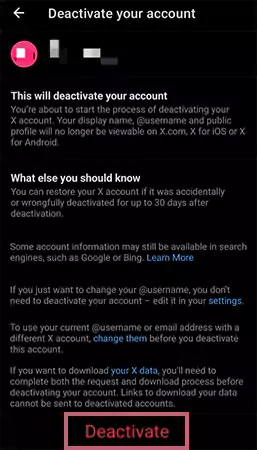
- Attentively go through the information provided by the platform to be more certain about things you should know before finalizing the deletion process.
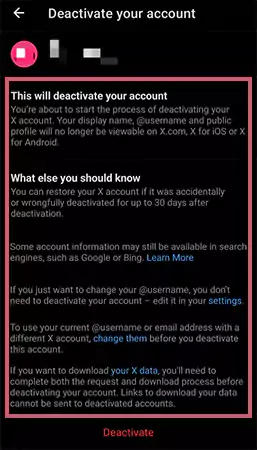
- Tap on Deactivate.
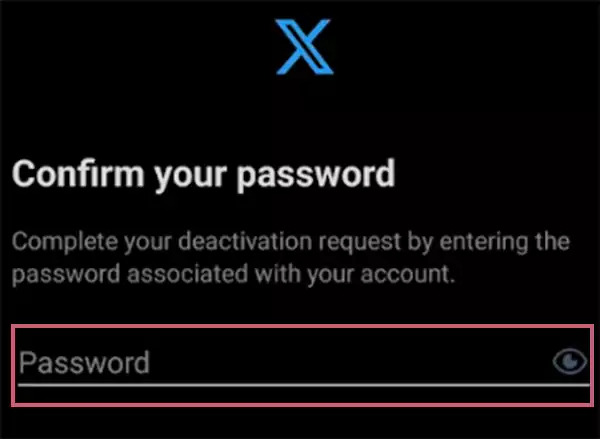
- Enter your X profile password in the given space.
- Again, tap on the Deactivate option to confirm the deletion process of your account.
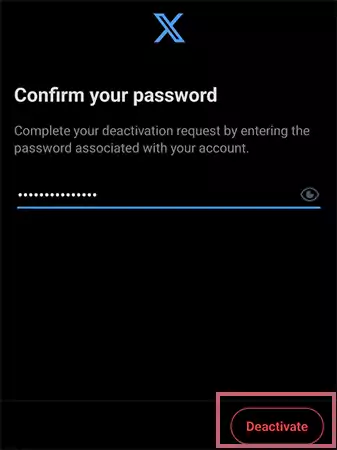
Consequently, by following the above-mentioned steps, your account will be permanently removed in a short time. But if you’re unsure of deleting it, consider logging out of your Twitter account from your device.
Read More: Twitter Name Change: Effortless and Elaborated Guide on How to Change Name on X
What are the Major Things You Should Consider Before Deleting Twitter Account?

Whether you are verified on Twitter or just another user, for whatever reason, you have decided to leave the platform, there are some major things you must consider first.
Therefore, below we have listed out some primary things for you. Take a look to avoid any sort of inconvenience in the future.
1. Change Username and Email Address
In case you are planning to create a new account after deleting your current one, you will not be able to use the same username and email address. So, consider changing it before removing your profile.
2. Your Profile/Information Will Not be Accessible
After removing your account, your profile picture, username, and posts won’t be available on the platform. Also, your friends won’t be able to contact you by direct message on Twitter.
3. Back Up Your Data
For future reference, it is best to take a backup of all information, including messages, posts, profile picture, and the rest. For that:
Simply open your account>> navigate to Settings and privacy>> Your account>> Download an archive of your data>> enter your password>> request archive>> give confirmation via your email address.
4. Deletion of X Account Isn’t Reversible
As we have mentioned in the above section of this blog post, the deletion process isn’t instant. First, you need to deactivate your handle and then wait for 30 days to get it permanently removed. But remember, once it gets deleted, you cannot reinstate it.
Besides, after deleting your X profile, if you still wish to search for the trending topics on the platform, you can take the help of Twitter viewer applications. These apps will allow you to search on X without logging in to it and keep you anonymous to maintain your privacy.
Also Read: Best Twitter Accounts to Learn Great Things and Stay Updated
What Will Happen to Your Twitter Account After Deleting It?

After deleting your account, the platform puts it in a temporary removal period of 30 days. During this, if you have logged back in, the deactivation process will end there. But if not, your handle will be permanently removed from Twitter.
Furthermore, check out the section below to know what will happen to your account during the deactivation and deletion period more precisely.
1. The Deactivation Process (First 30 Days)
Right after completing the deactivation process, your account will be hidden from the platform, including your profile picture, username, messages, and tweets.
Secondly, all your personal information and the existing data will be retained by the platform. Notably, during this period, you can reactivate your profile whenever you want.
2. The Permanent Deletion (After 30 Days)
If you haven’t signed in to your profile during this 30 -days of span, your account will be permanently removed from the platform and your username will be available to others.
Afterwards, you cannot access any of your content, as all the data and content will be entirely removed from the X’s server.
On the whole, the X gives a brief span of almost 1 month to its users to rethink their decision to delete their account. But if you are certain about it, just wait and let the platform handle the deletion matter for you.
Bottom Line
In a nutshell, it became easy to delete your X profile once you have learned the relevant method of how to delete Twitter account.
So, whether you want less distraction from this trending social media platform or simply need more privacy, removing the account can regain control of your digital presence.
Lastly, deleting Twitter account is one of the simplest choices that can bring you peace of mind and eventually help you to focus on what matters most.
Next Read: How Long Can a Video be on Instagram for Reels, Stories, and Posts in 2025? [Answered]
Frequently Asked Questions
Ans: To delete your X account, follow the steps mentioned below:
- Open the X application on your device.
- Tap on your profile picture.
- Scroll down to Settings & Support.
- Tap on Settings and privacy.
- Go for the Your account option.
- Tap on Deactivate Account.
- Head over to the Deactivate option.
- Enter your account password.
- Lastly, to confirm the deletion process, tap on Deactivate.
Ans: No, they are two different things. As deletion is permanent, once your account is removed, you can reassess it. Conversely, deactivating is the temporary removal, which means your profile will be removed from the platform for 30 days. But you can simply retrieve it by logging back in.
Ans: There can be various reasons why you won’t be able to deactivate your X account, such as:
- Entering the wrong password.
- No longer have access to the registered email address or phone number.
- Trying to delete the suspended account without following the proper protocols.
Ans: No, there is no such way to remove the X profile without logging into it. You need to sign in to your account, perform the entire deactivation procedure, and at the end, provide your password to delete your profile.
Sources: