The Best Invoicing Management Software for Schools in 2025
Jump To Key Section
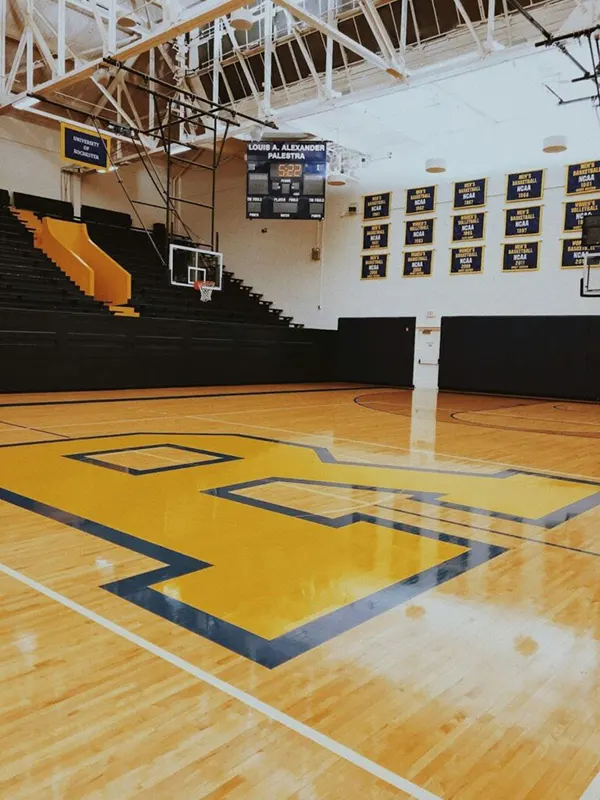
The demand for school facilities is constantly growing, yet managing rentals can quickly become a bottleneck. If you have been searching online for “school facility rental software,” you likely encountered a dizzying array of options, from simple event platforms to overly complicated enterprise systems.
The core challenge for school administrators is finding a solution that allows external renters to book and pay online seamlessly, while also enabling your staff to track revenue and scheduling without manual effort. This guide steers through the confusion by providing five proven, industry-specific options.
It offers honest assessments of their pricing and features, giving you the clear guidance needed. You can select the ideal invoicing and management software that fits your school district’s unique needs, ultimately turning facility rentals into a streamlined revenue stream.
KEY TAKEAWAYS
- Integrating your scheduling and invoicing into one platform creates an organized way to keep track of all your records.
- Use a software package to automatically create invoices and to handle your customers’ payments online with ease.
- You should use a system that meets the requirements of both outside users within the community and the requirements for scheduling events at the school.
- By providing both public and private online booking and payment options, you increase the amount of revenue you generate.
What Actually Matters
The right system comes down to how often renters can really book and pay online without calling your office. Whether you may want to track revenue without drowning in spreadsheets. You require a software that handles both internal scheduling and community rentals while automatically generating invoices when facilities get used.
The Top 5 Options
Out of the pool of options, this section presents the top five to maximize the efficiency.
#1: FMX – Best for Most K-12 Districts
Why it wins:FMX integrates facility scheduling with invoicing in one platform built specifically for schools. When you already utilize FMX for work orders and maintenance, adding facility rental invoicing creates a single system of record.
What you get:
- Invoicing for equipment use, facility rentals, and maintenance work
- Calendar integration depicting both internal events and community rentals
- Stripe payment processing for online collections
- Automatic invoice generation from schedule requests
- Customizable invoices with your district branding
- Track invoice report and payment history
- Multi-building district support with unlimited users
- Athletic schedule sync (Rank One, DragonFly, Eventlink, Veracross)
The drawbacks:
- Invoicing is an add-on system (requires work order platform)
- Requires quote for pricing
- Better for districts already using FMX for facilities management
- Setup takes 2-4 weeks with vendor support
Pricing: Mandatory quote (typically $4,000-5,000/year base platform plus invoicing module). Invites unlimited users.
Best for: Districts managing 4-20 schools, need collaborative work orders and facility rentals, already track maintenance in FMX
Skip if: Only ask for standalone rental management without facilities maintenance, under 3 schools
#2: Facilitron – Best for Pure Facility Rentals
Why it’s #2:Facilitron offers zero upfront cost and controls everything from public-facing rental sites to insurance verification. Used by 10,000+ schools, such as Austin ISD and San Diego Unified.
What you get:
- No-cost training, setup, and licensing
- Custom public rental site for your district
- Automated invoicing with itemized fees and security deposits
- 24/7 customer support for renters
- Payment processing (credit card and ACH)
- Built-in insurance verification and purchasing
- Real-time scheduling calendar
- Automatic approvals workflow
- Revenue and utilization analytics
- Optional building automation integration for HVAC/lighting
The drawbacks:
- Transaction-based price system (service fee on rentals)
- Primarily focused on external rentals, less stronger for internal scheduling
- Must use their CMMS (Facilitron Works) if you need integrated work orders
- Service fees apply to for-profit rentals
Pricing: No upfront cost. Service fee of 3-5% on rental transactions (given by renter or absorbed by district).
Best for: Districts want zero software budget, prioritizing community rental revenue, need turnkey solution
Skip if: Primarily ask for internal scheduling, want to own all rental revenue without service fees
#3: SchoolSpace – Best for Smaller Districts
Why it’s #3: SchoolSpace offers straightforward facility rental management without the complexity of enterprise platforms. Simple fulfilling for one-person operations.
What you get:
- Custom facility rental website with your branding
- Online payment methods (credit cards and ACH)
- Automated approval workflows
- Messaging tools for communicating with renters
- Itemized charge breakdowns and security deposits
- Cancellation and refund management
- Integration with Google Calendar and Outlook
- Financial reporting (cost recovery, revenue, processing fees)
- Staff permission levels and user management
The drawbacks:
- Limited details on pricing transparency
- Smaller user base than FMX or Facilitron
- Less powerful for very large multi-district operations
- Fewer integrations with other school systems
Pricing: Contact for quote. Once a month or annual subscription model.
Best for: Single schools or small districts (1-8 schools), easy rental needs, prefer owned solution
Skip if: Large district with complex workflows, need deep upkeep integration
#4: FlowPath – Best for Modern Interface
Why it’s #4: FlowPath presents a contemporary design with AI-powered scheduling and mobile-optimized access for staff managing rentals on the go.
What you get:
- Built-in calendar and timetable tools
- Event approval, request, and tracking
- Conflict detection to avoid double-booking
- Invoicing for facility rentals
- Link work orders for event setup and cleanup
- AI-powered time management and optimization
- Mobile-optimized for any device
- 90+ prebuilt reports and dashboards
- Real-time insights
The drawbacks:
- Newer platform with basic school customer base
- Pricing not publicly available
- Better as full facilities management site than standalone rental tool
- May be overkill for simple rental needs
Pricing: Contact for pricing. Subscription-based.
Best for: Mobile-first teams, tech-forward districts, want modern user experience
Skip if: Limited budget, choose proven platform with large school user base
#5: SportsKey – Best for Athletic Facilities
Why it’s #5: SportsKey is intentionally built for high school sports facility rentals with focus on gyms, fields, and athletic spaces.
What you get:
- 24/7 online reservations for athletic facilities
- Showcase facility availability and rates
- Invoicing and payment processing
- Financial reporting (revenue, occupancy, payments)
- Usage and occupancy metrics
- Designed basically for sports facilities
The drawbacks:
- Narrow focus on athletic facilities only
- Less suitable for theaters, classrooms, cafeterias
- Smaller feature set than comprehensive sites
- Limited information on school district adoption
Pricing: Three tiers – Growth (enhanced functionality), Starter (simple needs), Enterprise (multi-location). Direct contact for pricing.
Best for: Athletic directors managing solely sports facilities, high school sports programs
Skip if: Require comprehensive facility rental across all school spaces
Which One Is Right for You?
Don’t get confused over different options. Take note of these measurement standards to choose the right one:
Choose FMX if: Already use FMX for maintenance, need combined scheduling and work orders to manage 4-20 schools. A single platform for everything saves $3-8K annually versus separate systems.
Choose Facilitron if: Want zero upfront cost, need a turnkey solution for prioritizing community rental revenue. Without a software budget transaction fees are worthwhile for districts.
Decide SchoolSpace if: Manage 1-8 schools, need straightforward rental management, and are searching for a simpler interface without enterprise complexity.
Select FlowPath if: Want mobile-first operations, modern AI-powered platform, comprehensive facilities management with rentals.
Pick SportsKey if: Focused exclusively on athletic facility rentals, do not need academic spaces.
Your Next Steps
After you have decided on one, it is time to request demos. It can be from your top two choices this week and include both a facilities manager and someone who currently processes rental suggestions. Within two weeks of checking invoice generation, testing the booking process, and calling references from similar-sized districts, you wll know which system fits your workflow and budget.
Ans: To automate the scheduling, invoicing, and payment processing of community facility rentals.
Ans: Most offer the ability to integrate with internal school calendars to avoid double-booking with outside renters.
Ans: Renters can pay online immediately, which reduces the time involved in receiving payments and eliminates the possibility of tracking payments manually.
Ans: Facilitron’s model offers no upfront cost and only charges a service fee after each transaction.