RiseGuide Cancellation Policy & Refunds (Plain English Guide)
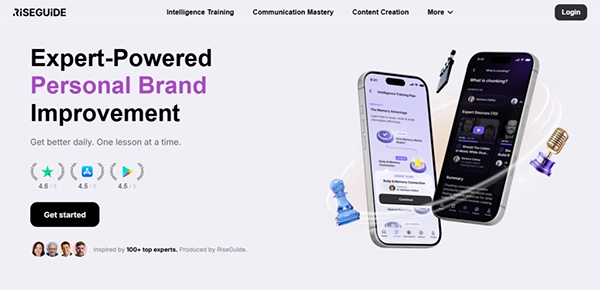
Well, you enjoy your self-improvement journey on the RiseGuide app, but a month-long vacation is coming up. You don’t want to keep stepping up on those days, irritating your peers. But paying for a subscription for a month that you know you won’t be able to use the app is also foolish.
Ultimately, you decide to cancel the subscription, planning to buy it again once you get back from vacation. There are still some days left until the current subscription ends, but you unsubscribe anyway, hoping for a refund.
The entire vacation ends, and still you’re waiting for that refund.
Well, you didn’t get one because you never bothered to read the cancellation and refund policy of RiseGuard.
In this guide, I’ll explain to you the same in a simple and detailed manner, so you don’t end up in a similar situation next time you go to cancel the RiseGuide subscription. The following sections discuss how the app bills, subscription cancellation, refund qualifications, and much more.
KEY TAKEAWAYS
- RiseGuide’s cancellation and refund policy can be confusing to comprehend for many.
- If you want to cancel, do it 24 hours before the renewal.
- Money-back is only applicable if it was promised at the checkout page when you made the payment.
- Cancellation doesn’t automatically initiate a refund; you need to initiate it separately.
Subscription Renewal Rules (Plain Language)
Most apps with a subscription-based model automatically renew customer subscriptions. RiseGuide is no different.
That means:
- You are charged for a billing period (4/12/24 weeks).
- Subscription renews automatically at the end of that period.
- Your payment method is charged again unless you cancel.
The 24-Hour Rule
Cancel at least 24 hours before your renewal date if you don’t want to be charged for the next billing cycle.
If you cancel too close to renewal:
- The payment may already be processed.
- The next billing charge may still go through.
- The new billing period becomes active.
Money-Back Guarantee Window (What It Covers)
RiseGuide offers a money-back guarantee at payment checkout. If you didn’t see anything like that on the payment page, you might not be eligible for the money-back guarantee.
What does Guarantee Cover?
- Requests made within the stated guarantee window.
- Subscriptions purchased directly via the official website.
- Accounts that meet the eligibility conditions.
How to Request a Refund
Request the refund within guarantee window by following the steps:
- Contact support via support@riseguide.com or through their Contact Form.
- Provide your account email.
- Include your user ID from the app.
- State your purchase date.
- Request the refund under the money-back guarantee.
Support will verify your eligibility based on the official RiseGuide refund policy.
If approved, billing will be reversed according to the original payment method.
What Happens After You Cancel
Cancelling RiseGuide subscription entails:
- Future renewals stop.
- The billing ends with the current period.
- You retain access until the end of the paid billing cycle.
- You receive a cancellation confirmation email.
Important:
- Deleting the Rise Guide app does not cancel billing.
- Unsubscribing from emails does not stop your subscription.
- Always keep your cancellation confirmation email for records.
No confirmations? Contact RiseGuide customer service immediately.
Refund Request Checklist (Step-by-Step)
To get a refund from RiseGuide, just follow the steps.
Step 1: Gather Required Information
Prepare:
- Account email address and user ID from the app
- PayPal Invoice ID
- Purchase date
- Renewal date (if applicable)
- Screenshot of the charge
Step 2: Submit a Clear Refund Request
Send your request to RiseGuide customer service via support@riseguide.com or through the Contact Form.
Professional Refund Request Template
Subject: Refund Request – RiseGuide Subscription
Hello,
I am writing to request a review of my RiseGuide subscription charge.
Account email:
User ID:
PayPal Invoice ID:
Purchase date:
Renewal date (if applicable):
Reason for request:
[Brief explanation – e.g., canceled before renewal / within guarantee window / duplicate subscription / billing issue.]
I would appreciate a review of my case under the applicable refund policy.
Please confirm receipt of this request and advise on next steps.
Thank you for your assistance.
Step 3: What to Expect After Submission
Once submitted:
- Support will verify your account and billing records.
- Cancellation timing will be checked against renewal rules.
- Eligibility under the money-back guarantee (if applicable) will be reviewed.
In most cases, the RiseGuide team will get back to you within 2 hours or less. Complex billing cases may require additional review time, of which the company transparently warns its customers about.
No replies? Check your spams first, then properly follow up.
Important Notes
- Avoid sending multiple duplicate emails within a short period.
- Ensure all information is accurate and complete.
- Record all communication.
Submitting a structured request significantly increases the speed and clarity of resolution.
FUN FACT
RiseGuide currently doesn’t have a way to “pause” a subscription. You have to cancel and reactivate.
Edge Cases
You can also end up in some tricky situations pertaining to the RiseGuide billing and refunds.
1. Charged After Cancellation
Did you cancel at least 24 hours before renewal? Check the cancellation confirmation email for the exact time of cancellation.
If cancellation occurred too late, the charge may be valid under the policy. Contact support for clarification.
2. Used the Wrong Email Address
If you cannot find your subscription:
- Try searching your inbox for billing receipts.
- Check which email was used at checkout.
- Contact RiseGuide customer service with possible email variations.
3. Double Subscription
Sometimes users accidentally create two subscriptions using different emails or payment methods.
If you suspect duplicate billing:
- Provide both email addresses.
- Attach both receipts.
- Ask support to investigate overlapping subscriptions.
4. Chargeback Through Your Bank
If you see an unfamiliar charge, always contact support first before initiating a payment dispute. This is the fastest way to resolve your issue.
A chargeback through your bank or payment provider may:
- Immediately revoke access.
- Freeze your account.
- Complicate future refund requests.
Only escalate to your payment provider if the issue cannot be resolved directly, and follow your local consumer protection rules.
5. Pending Charge Becomes Completed After Cancellation (Common Bank Timing Confusion)
This is one of the most misunderstood billing situations.
A common scenario:
- The subscription renews automatically on the renewal date.
- The bank shows the charge as “pending.”
- The user cancels the subscription shortly after seeing the pending charge.
- Several days later (often 5–7 days), the bank updates the transaction from pending to completed.
Many users claim to have been charged after the cancellation. But what happens is that the charge is already authorized before cancellation; it’s the bank that takes some time to finalize the transaction.
Why This Happens
Banks typically process subscription renewals in two stages:
- Authorization (Pending) – The system reserves the funds.
- Settlement (Completed) – The bank finalizes the transaction.
The delay between these stages depends on the bank, not the RiseGuide system.
If renewal occurred before cancellation, the charge is valid even if it appears as “completed” days later.
How to Verify
To confirm whether the charge happened before or after cancellation:
- Check the exact renewal timestamp.
- Check the cancellation timestamp.
- Compare both dates and times carefully.
If the renewal timestamp is earlier than the cancellation timestamp, the charge was processed before cancellation – even if your bank shows a later completion date.
If you are unsure, contact RiseGuide customer service and request transaction time verification.
Contact & Escalation
If you’re having issues with cancelling the RiseGuide subscription, refund, billing, or accessing your account. Contact RiseGuide customer service using:
- The official support email – support@riseguide.com
- The official contact form – Contact Form.
When escalating:
- Provide complete documentation.
- Keep communication professional and factual.
- Avoid duplicate requests.
If the matter cannot be resolved and you believe billing violated local consumer protection laws, you may consider contacting your payment provider as a last resort.
Ans: It’s an educational, self-improvement app where you get to learn from the experts.
Ans: No. It’s a subscription-based app, but the platform offers a free trial.
Ans: Whether it’s worth it depends on your goals and how consistently you use the platform.
Ans: Pricing and plan details are shown during checkout and inside your account dashboard.
Ans: You can easily cancel through the platform you purchased the subscription from.