SMS Alerts for Business: How to Send Timely Notifications Customers Actually Trust
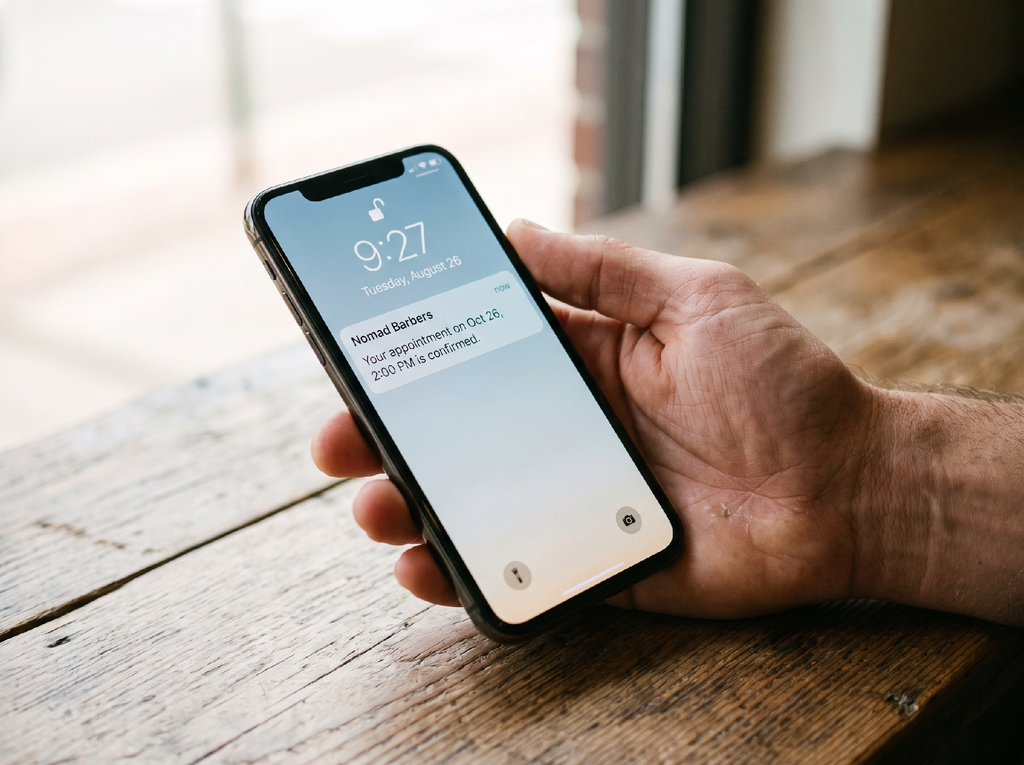
A concise, sender-identified SMS alert on a phone lock screen
Customers get several notifications and emails every day. They are aware of fraudsters and make every decision very carefully, but there is a very thin line between an authentic message and an authentic-looking one. Spotting the difference at a glance is not possible every time.
The FTC reported in April 2025 that consumers lost $470 million to scams that started with a text message in 2024, five times the 2020 total.
To stand out between fake “fraud alerts” and unprofessional messages, it is required for an authentic message to reach on time, and should not look unprofessional.
This guide covers how to do so, with the rules you should follow while doing that.
Where SMS Alerts Earn Their Place
Common business SMS alert types: one-time codes, delivery updates, appointment reminders, and incident notices
An alert is a message triggered by something that occurred or is about to happen: a login attempt, a shipment leaving the warehouse, a booking next day at 9:00, a service outage. Marketing blasts are a different species. They go out on your schedule; alerts go out on the customer’s.
That difference matters because alerts are the one kind of text people expect and want. One-time passcodes, payment confirmations, delivery windows, appointment reminders, and incident notices all share a trait: the recipient is waiting for them. Platforms that offer Infobip SMS alerts connect those triggers in your CRM, app, or billing software to carrier networks, so the right message reaches the right phone seconds after the event instead of whenever a batch job gets around to it.
The practical test is simple. If the customer would be annoyed by a late notification, it’s an alert. If they’d be okay receiving it next week, it’s marketing, and it shouldn’t share a sender or a template with the alerts.
Why the 98% Open Rate Is the Wrong Metric
Nearly every SMS pitch includes an open rate of 90 to 98 percent. MessageIQ, which publishes a teardown of the claim, asks that the number measure visibility, not attention. A text sitting on a lock screen counts as “opened” in many reports even if nobody opens it.
Take a position here: stop reporting open rate to your leadership. Know what the alert was supposed to cause. Delivery rate tells you whether carriers received the message. Click-through and response rates tell you whether people acted. Time-to-action (how long between the alert and the payment, the confirmation, the reschedule) lets you know whether the alert did its job. Opt-out rate is the early-warning sign that you’re sending too much or too loosely.
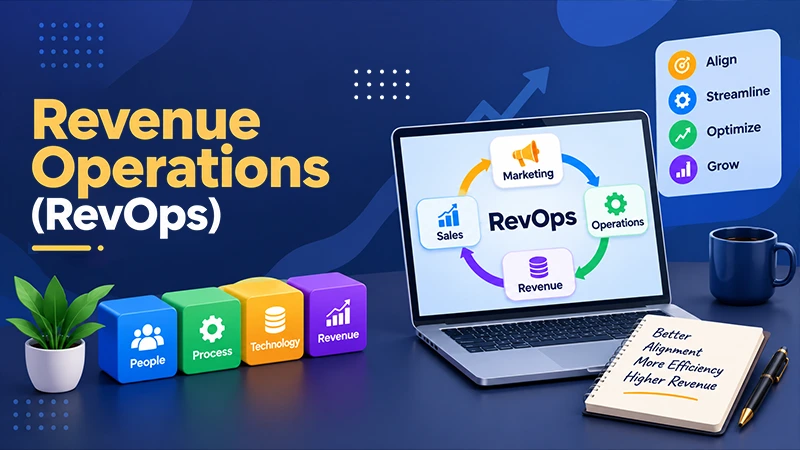
If you’re already running a revenue team, these numbers adapt naturally into the reporting that revenue operations owners build across marketing, sales, and support. We’ve captured how that alignment works in our guide, and alerts are one more touchpoint worth putting on the same dashboard.
The drawback is that these metrics are harder to collect than a single vendor dashboard figure. You’ll need tracked short links and event information from your own systems. That’s real work, and it’s still worth it.
Designing an Alert People Trust :
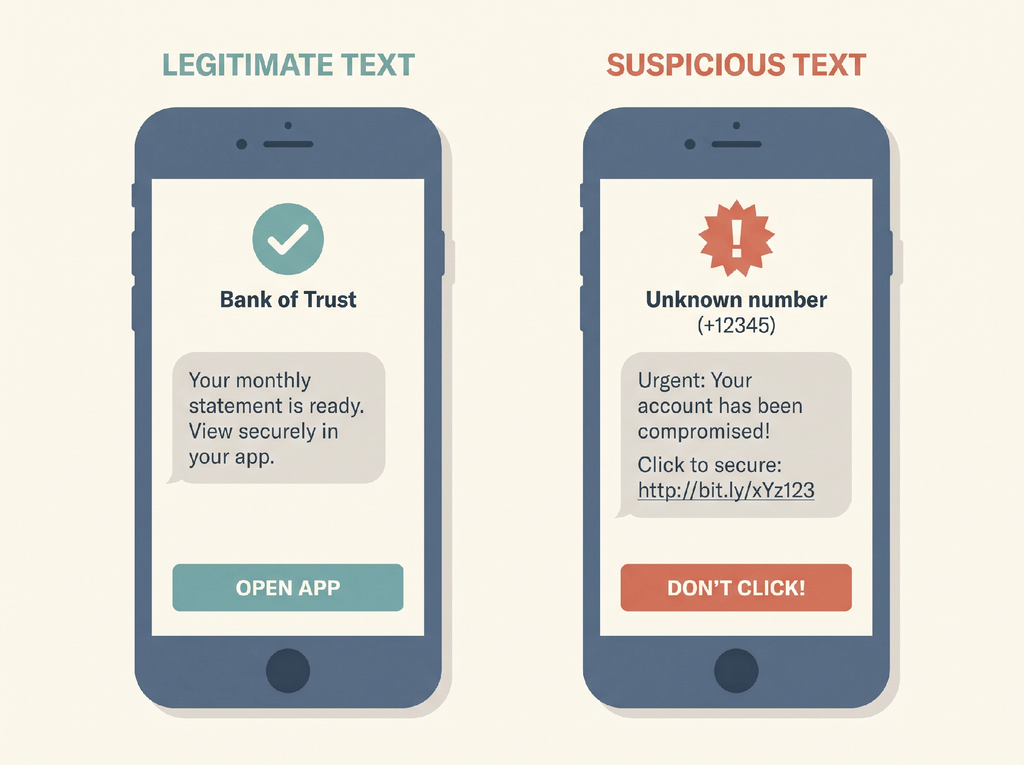
A named sender and a plain message set a legitimate alert apart from a scam text.
The FTC’s May 2026 imposter scam alert reported that losses touched $3.5 billion in 2025, up nearly 20 percent, with toll-text scams driving a 40 percent increase in government imposter reports. Scammers copy the look of legitimate alerts, so your design selection is a security measure as much as a style preference.
A few rules hold up well in practice:
- Use one sender identity and keep it. A branded sender ID or a single consistent number lets customers recognize you over time.
- Give each message one purpose. A code is a code. Don’t force a promotion.
- Keep it compact. A standard GSM-7 message fits 160 characters, and a single emoji pushes it into Unicode encoding, which cuts the limit and can split the message into parts.
- Name the company in the first few words, and state the specific purpose: “Acme: your order 4821 ships today between 2 and 5 PM.”
- Never ask for a password, PIN, or card number through a link. Ask people to open your app or type your address themselves.
- Keep transactional and promotional traffic on separate numbers, so a spike in marketing complaints doesn’t damage delivery of your security codes.
Simple beats clever. The alert that looks boring is the one customers believe.
Staying Compliant: Consent, Quiet Hours and Opt-Outs
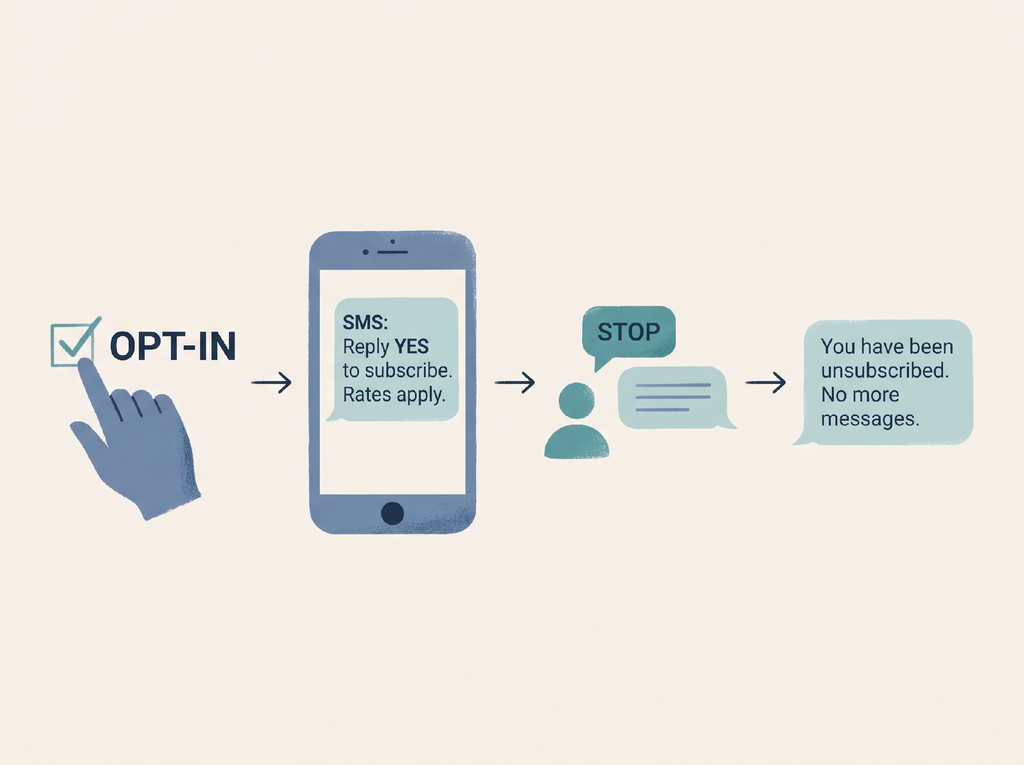
A simple consent and opt-out flow that keeps SMS alerts compliant
In the United States, the Telephone Consumer Protection Act (TCPA) governs business texting. According to a BCLP analysis of the TCPA, new revocation guidelines took effect on April 11, 2025. Businesses must honor opt-outs sent with words like stop, quit, revoke, opt out, cancel, unsubscribe, or end, and by any sensible method, not only the one keyword you advertised. Requests have to be processed within 10 business days, and you may send one confirmation text within five minutes to support the opt-out.
The same analysis notes that a broader “revoke-all” trend, which would extend an opt-out across all of a company’s messages, has arrived late. Check the current status with counsel before you think around it.
Three habits keep teams out of trouble. Get consent clearly at the point of signup and store a record of when and how it was given. Treat every sensible opt-out as binding, including a free-text reply like “please stop texting me.” And know that consent expectations for alerts and marketing differ, which is another reason to keep the two approaches separate.
One caveat: this is US law. The EU, UK, Canada, and other markets each have their own consent and sender-registration requirements, so a global program needs country-level review rather than one template applied everywhere. This isn’t legal advice; it’s a map of what to ask your lawyer.
Choosing the Right Channel Mix
SMS works because it reaches customers without an app or a data connection. It’s also expensive per message in many states, plain in format, and easy to impersonate. No single channel should handle every alert.
A reasonable mix looks like this: SMS for time-critical items and security codes, push notifications for customers who already have your app downloaded, email for receipts and detail-heavy messages, and WhatsApp where it’s the default way individuals talk to businesses. If your customers stay on messaging apps, our look at WhatsApp tools for online stores shows how e-commerce professionals set that channel up.
Build fallback logic too. If a push notification goes unread for a few minutes, send the SMS. If the SMS fails to deliver, consider email. Customers don’t care which channel you used; they care that the message is received before the deadline.
A Practical Rollout Checklist
Start small and measure before you expand the program.
- Note the events that justify an alert, and rank them by how costly a delay would be.
- Write one template per event, with sender name, specific data, and a single next step.
- Set up consent capture and a documented opt-out procedure that handles free-text requests.
- Test on actual handsets across carriers, including a message with a link and one without.
- Monitor delivery rate, click-through, reply rate, and opt-outs every week for the first month.
- Review templates quarterly and discontinue any that customers ignore or complain about.
Appointment reminders are generally the best first use case, because the payoff in fewer no-shows is easy to see. If you work with events or bookings at scale, the scheduling and automation suggestions in our piece on event management software pair well with reminder texts.
Conclusion
Volume is the wrong goal for business SMS. A compact set of well-designed alerts, sent from a consistent sender, with clean consent records and silent authentication, will outperform a louder program every time. Customers have learned to distrust unexpected messages, so the alerts that win are the ones that make verification unnecessary: clear, brief, expected, and easy to stop.
FAQs
- What are SMS alerts used for in business communication?
SMS alerts notify customers about important events, including payment confirmations, delivery updates, appointment reminders, and security codes.
- How can businesses make SMS alerts more trustworthy?
Businesses should use a consistent sender name, keep messages brief, provide clear information, and avoid requesting sensitive details through links.
- How can businesses ensure SMS alerts comply with regulations?
Businesses should obtain appropriate consent, process opt-out requests promptly, maintain consent records, and follow the messaging regulations applicable to their target markets