How Automation Is Simplifying Business Operations

When the company grows, one thing that starts becoming difficult is operating the business smoothly. AS the number of customers increases, it results in more orders, more documents, and more coordination between teams. When employees start managing the tasks manually, it probably leads to delays and mistakes.
Automation comes as a practical solution. It often connects routine tasks, applies consistent rules, and minimizes the need for repeated manual input. These can be used by companies to improve customer service, organize deliveries, and gain better control over daily workflows.
How Business Automation Works
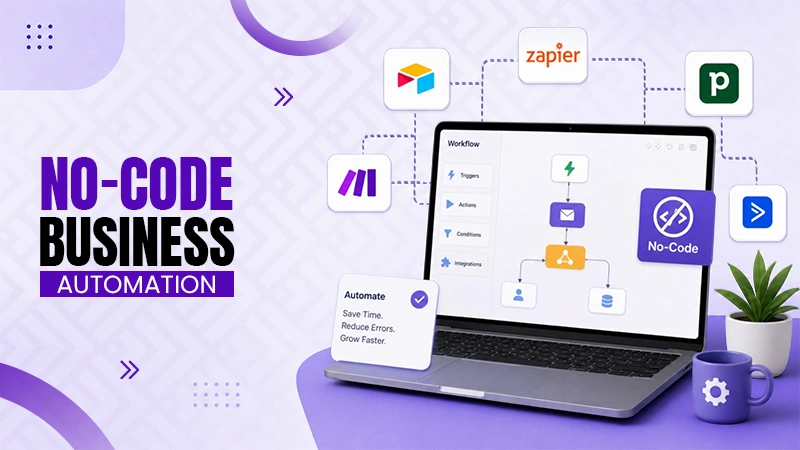
Business automation utilizes software to execute tasks based on predefined rules, triggers, and conditions. A trigger might be a new order, a completed form, or a shift in a customer’s account status. The system responds by beginning the next action.
For instance, a completed sales form could create a customer record, notify an account manager, and initiate an onboarding process. This removes several manual steps. It also reduces the risk of information being lost between departments.
Effective automation relies on three technical elements:
- Triggers: Events that begin a workflow, such as a payment confirmation or a new order.
- Conditions: Rules that decide which actions should happen under specific circumstances.
- Actions: Tasks performed by the system, such as sending notifications, updating records, and assigning work.
These elements let businesses build repeatable processes. Employees can then focus on exceptions, customer relationships, and decisions that need judgment.
Improving Customer Onboarding and Sales
Customer onboarding is a main source of administrative delays. After a sale, businesses may need to collect documents, schedule meetings, assign responsibilities, and describe the next steps. Handling each need through separate emails makes progress difficult to track.
A centralized workspace can bring these activities together. Customers can use instructions, complete assigned tasks, and share information in one place. Employees can track progress without repeatedly requesting updates.
A digital sales room can support this process by offering customers and sales teams a shared space for onboarding tasks, resources, and communication. Automated reminders and clear task assignments help keep the process going. Integrations with customer relationship management systems can also minimize duplicate data entry and keep account records updated.
The result is a better customer experience. Sales teams spend less time chasing information, while customers have a better understanding of their responsibilities. Businesses can also establish standard onboarding templates, making it easier to manage service quality as the customer base expands.
Reducing Errors Through Workflow Integration
Automation offers greater value when business applications exchange information instead of operating independently. Disconnected systems usually force employees to copy details between spreadsheets, email platforms, inventory tools, and customer data platforms.
Application programming interfaces, or APIs, let software systems exchange data through defined requests and responses. Webhooks can notify another system when an event happens. Together, these mechanisms support workflows that react to business activity in near-real time.
Consider an order management process. When a customer places an order, the system can verify the order details, check inventory, create a fulfillment request, and notify the relevant team. If stock is unavailable, a separate rule can flag the order for review instead of allowing the process to continue incorrectly.
Making Delivery Operations More Efficient
Logistics creates another opportunity for automation. Businesses that handle multiple deliveries must think about addresses, vehicle capacity, driver availability, delivery windows, and traffic conditions. Planning every route manually becomes increasingly hard as the number of stops grows.
Route optimization software checks these constraints and helps identify efficient delivery sequences. Based on the tool, users can organize stops, adjust route settings, and share planned routes with drivers. Better sequencing can minimize unnecessary travel and make daily schedules easier to manage.
A delivery planner helps drivers and small delivery teams organize various stops and optimize routes. Using a digital route planning tool can replace repetitive manual maths with a more structured process. Businesses can then spend less time preparing schedules and more time managing customer requirements and operational exceptions.
Protecting Data in Automated Workflows
Automation adds security considerations because connected systems may process customer information, payment details, business documents, and employee records. A badly configured workflow can expose sensitive data or give users access beyond their responsibilities.
Businesses should apply role-based access controls, secure authentication, encryption, and the right data retention policies. API credentials should have only the permissions needed for their intended tasks. Logs should record essential actions so administrators can investigate unexpected changes.
The National Institute of Standards and Technology offers guidance through its Cybersecurity Framework 2.0. Its risk management strategy can help organizations identify critical systems, establish safeguards, detect issues, and improve their security practices.
Security checks should be part of implementation, not an afterthought. Companies should test workflows with easy data, verify permissions, and define procedures for disabling integrations when a service is compromised.
Measuring the Results of Automation
Installing automation software does not promise better performance. Businesses need measurable indicators to decide whether a workflow is producing meaningful improvements.
Useful metrics are:
- Processing time: How long a task takes from start to completion.
- Error rate: The percentage of transactions needing correction.
- Cost per transaction: The operating expense associated with each finished task.
- On-time completion: The proportion of tasks or deliveries completed within their timelines.
- Manual intervention rate: How usually employees must step in to resolve workflow problems.
Make a baseline before implementation. Compare results after deployment and account for changes in order volume, staffing, or demand. This makes it easier to differentiate genuine improvements from unrelated business changes.
Building an Automation Strategy That Scales
The most effective approach begins with a specific operational problem. Automating an inefficient process can make its weaknesses difficult to identify. Businesses should first document the existing workflow, eliminate unnecessary steps, and define the desired outcome.
Next, pick tools that integrate with existing systems and support appropriate access controls. Begin with a limited pilot, test common scenarios and exceptions, and gather feedback from the employees who use the process. Expand only after the workflow happens reliably.
FAQs
Ans: The five D’s of automation are Dull, Dirty, Dangerous, Difficult, and Dear.
Ans: The two types of automation are fixed automation and programmable automation.
Ans:Some of the automation tools are Zapier, Microsoft Power Automate, Asana, etc.