ChatGPT Chrome Extension: How to Use ChatGPT on Any Website in 2026
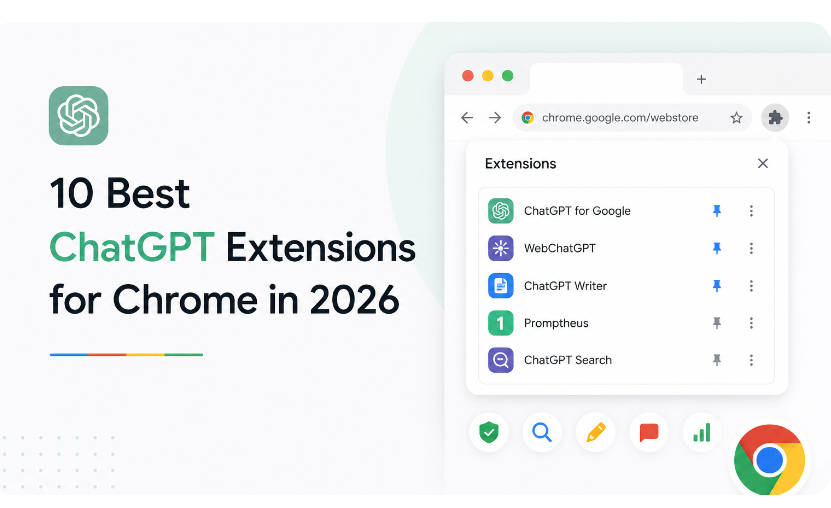
ChatGPT changed how millions of people write, research, and solve problems. But opening up a separate tab every time you need it gets old quickly. What if it lived right there at your work?
That is exactly what a ChatGPT Chrome extension does. It puts ChatGPT inside your browser, ready on any page. Tools such as Clico go a step further and add Claude as well, so you can draft, summarise and ask questions without leaving your work.
It’s not a niche trick anymore. Millions of people now make using AI in the browser a daily habit. Here’s how a Chrome extension for ChatGPT works, and how to use one to its full potential.
Key Takeaways
- ChatGPT Chrome extensions bring AI directly into your browser, allowing you to write, research, summarize, and get answers without switching tabs.
- These tools can improve productivity by helping with emails, content creation, translations, and quick page summaries.
- Choosing the right extension depends on factors like model access, privacy practices, speed, and ease of use.
- For the best experience, provide clear prompts, verify important information, and maintain good privacy habits while using AI tools.
What Is a ChatGPT Chrome Extension?
A ChatGPT Chrome extension adds AI to your browser through a small sidebar or popup.
You select some text, press a button or ask a question and it answers immediately. No copy-paste between tabs and no separate app.
The best extensions connect to powerful models, and some pair Claude with ChatGPT. So you get strong writing and reasoning wherever you happen to be online.
What You Can Do With ChatGPT in Your Browser
Here are some of the steps that explains what you can do with ChatGPT in your browser:
Summarize Any Page in Seconds
Big articles and reports take up your time. It distils them to a few clear points.
You get the gist first, then read deeper only where it matters.
Write and Reply Without Switching Tabs
Writing happens in every text box you touch.
It writes email drafts, smooths out rough lines and corrects tone within context.
Your message reads sharper with far less effort.
Get Instant Answers as You Browse
Questions pop up while you read.
You just ask, not open up a new search. The extension answers using the page right in front of you.
Translate and Simplify Text
Dense or foreign text slows you down.
Ask the extension to translate or explain it in simple terms. Suddenly, the complicated pages begin to make sense.
Why People Love Browser-Based ChatGPT
Browser-based ChatGPT is catching on fast. According to a Pew Research Center survey, about half of U.S. adults now use AI chatbots, and roughly one in four use them daily.
Putting AI on the page they are already reading is a big part of that pull.
The appeal is easy. You save time. You stay on track. You get help when you need it. No app to open. No flow to disrupt.
How to Choose a ChatGPT Chrome Extension
Not every extension is worth installing. Look for these features before you commit:
• Model access: does it offer ChatGPT, and ideally Claude too?
• Page awareness: can it read and act on your current tab?
• Privacy: Does it explain clearly how it handles your data?
• Speed and cost: Does it respond fast to a plan that fits you?
• Ease of use: Does it work without a steep learning curve?
A tool like Clico ticks those boxes by bringing both ChatGPT and Claude to each page. Try out a few, then select the one you grab every day.
Tips for Getting the Best Results
A few simple habits make any ChatGPT extension far more useful:
• Be specific: tell it the goal, tone, and audience.
•Start rough: let it draft, then refine the result.
• Check Facts Confirm names, numbers and claims yourself.
• Iterate: ask for shorter, clearer, or bolder versions.
• Keep your voice: edit until the text still sounds like you.
A Few Things to Keep in Mind
Here are a few things to keep in mind while choosing ChatGPT:
Double-Check Important Answers
AI sounds confident but can be wrong. Fact-check important facts before using them. Think of this as a quick draft, not the last word.
Watch Your Privacy
Every day you surf sensitive pages. Before you paste private text, check what the extension is saving. Select tools that are open with your data.
Conclusion
A ChatGPT Chrome extension turns your browser into a smarter workspace. It summarizes pages, drafts text, and answers questions right where you work.
The trend is obvious and set up takes minutes. Used wisely, with a quick fact check and good privacy habits, it can save you real time every day. If your life is your browser, something like Clico is a great place to start.
FAQs
Ans: ChatGPT is free to use, and Free tier users now have access to a large range of capabilities with GPT-5.5, including access to a series of tools and access to GPTs in our GPT store.
Ans: After testing and comparing the top extensions, AI Toolbox (formerly ChatGPT Toolbox) stands out as the best option for users who need conversation organization, search, and prompt management.
Ans: GPT stands for generative pre-trained transformer and is a family of neural network models that analyze data and interpret and produce human-like text, images, and sounds.
Ans: AI is not an infallible search engine, but many people take its word as gospel. There are things that ChatGPT and its peers can handle on their own, but there are hundreds of tasks they simply cannot be trusted with.






© 2026 allinsider.net All rights reserved