How Image to Video AI Is Changing the Way People Create Digital Content
The video created is eventually implemented today and still continues to grow across many social accounts handles and marketing strategies.
Most of the experts still need to understand the resources issues regarding time management to produce quality video.
Introduction of AI Technology enforces you to generate the still photos and constant snapshots into video formats.
Behind the video formation the resources become limited and you produce chances to experiment and be updated in development of more fascinating visuals effectively.
From Still Frames to Moving Stories
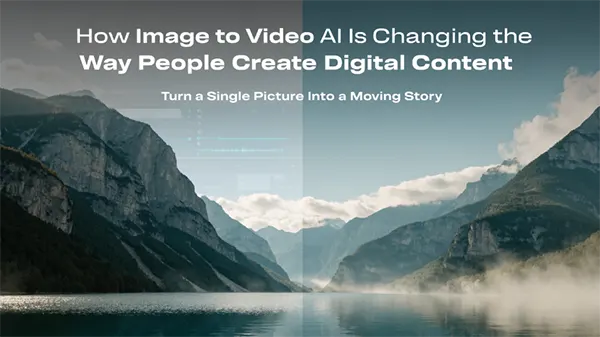
The idea is simple. You provide an idea and an image to video in which features of that image come to life. Water waves and clouds drift, sway, a camera gradually zooms in, or a subject shifts naturally as if the photo had been grabbed a moment before or after.
Behind the scenes, the technology studies the picture to understand depth, objects, lighting, and likely motion. It then predicts a sequence of frames that feel compatible with the original.
Many instruments also accept a short written instruction, such as “slow cinematic zoom with drifting fog,” to show the result.
What makes this approach powerful is not just the wonder. It adjusts the starting point of creation. Where video once required scheduling a shoot, it can now extend out of any visual support: a product photo, a travel picture, an illustration, a slide, or a portion of concept art.
Why This Matters for Creators
For years, the biggest barrier to video was effort. A thirty-second hook could take hours of filming, sorting, cutting, and exporting. That cost forced many designers to stay with fixed posts, even when they knew movement would gain more engagement.
AI changes the math in several ways:
- Speed. A clip that might have required a half-day of work can be prepared in minutes, which makes it useful to publish more often.
- Lower cost. Without cameras, crews, or stock footage subscriptions, the budget for trying new concepts shrinks dramatically.
- Accessibility. People without editing experience can build something that looks planned and polished.
- Reuse of existing assets. A library of image to video becomes a library of possible videos, expanding the life of work that has already been made.
The result is not that everyone becomes a filmmaker overnight. It is that the space between an opinion and a publishable video has become much shorter.
Real-World Uses Across Industries
The appeal of this technology reaches well beyond amateurs. Different groups are discovering their own uses for it.
- Small businesses and online sellers. Product pages with motion tend to hold attention longer than static ones. An easy animated picture of a candle with a flickering glow, or a bag with a subtle camera trajectory, can make a listing feel more premium without a video shoot.
- Marketers and advertisers. Campaign teams often need many variations of a creative for different platforms. Turning existing trademark imagery into short action assets makes it easier to test ideas fast and keep ads feeling fresh.
- Social media creators. Short-form platforms reward movement. A still picture that comes alive, with stirring mist over a mountain or a delicate gesture in a portrait, can stand out in a congested feed.
- Educators and trainers. Diagrams, historical photographs, and photographs can be brought to life to support lessons, helping trainees stay engaged with the material.
- Real estate and travel. Listings and destination pages profit from a sense of ambiance. Slight movement in a living room scene or a coastline sight can make a place feel more tempting.
- Artists and storytellers. Illustrators, photographers, and writers can add gesture to their work, turning a single artwork into a mindset piece, a title card, or a short narrative moment.
Getting Started With the Tools
If you are curious about the technology, the best method to understand it is to test it. Modern image to video tools make that straightforward: upload a picture, describe the motion you want if the tool permits it, generate a clip, and check the result.
Because each attempt takes only a short time, experimenting is cheap, and a few tests usually indicate what works for your style.
A simple first task might be a product shot, a landscape photo, or a favorite piece of artwork. Choose something with a clear subject and good lighting, and ask for a modest movement. You can always make the activity expressive once you see how the tool reacts.
Tips for Better Results
A few habits can noticeably improve your output.
- Start with a strong image. Sharp focus, good lighting, and a clear subject give the AI more to work with. Low-quality inputs tend to create messier activity.
- Think about what should move. Segments like water, smoke, leaves, hair, and fabric animate inherently. Fixed objects, such as structures or furniture, normally look best when the camera rolls rather than the thing itself.
- Be specific in your prompt. Instead of asking for “action,” describe it: “soft spirals roll toward the coast, camera slowly pans left.”
- Keep the motion subtle at first. Gentle effects often look more believable than dramatic ones, and they are less likely to present visual hindrance.
- Generate multiple versions. Small prompt shifts can lead to very distinct results. Compare a few and select the strongest.
- Polish in your usual editor. AI-generated clips can be trimmed, combined, captioned, and scored with music just like any additional footage.
Limits Worth Knowing About
AI video is impressive, but it has limits. Clips are generally short, and difficult activity, such as fast movement or detailed hand gestures, can still look abnormal.
Fine text inside an image may move or blur. Faces and anatomy sometimes drift in subtle ways. And because the software is predicting motion rather than documenting it, the outcome may not always match your cognitive sight on the first try.
Understanding these boundaries helps you choose the right jobs for the technology. It excels at atmospheric movement, short loops, background animation, and eye-catching social clips. It is less suitable for long, tightly scripted narratives that require detailed control over every frame.
Creating Responsibly
As these tools become more familiar, responsible use matters. Only animate images you own or have permission to use, and appreciate the rights of photographers, illustrators, and the people who appear in photographs.
Be careful with natural descriptions of real individuals, since animated imagery can be misleading if it is shown as genuine footage.
When it suits your audience and venue, consider noting that a clip was made with AI, and always follow the guidelines of the sites where you publish.
Put simply, the technology is a visionary aid, not a substitute for decision. The ideas, the taste, and the story still come from the individual behind the screen.
What Comes Next
The trajectory is clear. Clips are getting longer, motion is becoming more natural, and tools are offering finer command over style and camera activity.
As quality rises and conflict falls, more people will treat video as a normal part of everyday communication, much like they now treat pictures and text.
For creators, that opens a wide field of possibility. The photo sitting in your camera roll, the product shot on your website, or the description in your portfolio is no longer just a finished image. It is a starting point.
With a little interest and a willingness to experiment, a single picture can evolve into a moving story, and the barrier between having an idea and conveying it has never been lower.
Frequently Asked Questions
Ans: Video referencing uses some pictures with text to create a video. Usually, some text persists; some information-related videos summarize different camera setups.
Ans: An image is reviewed and AI classifies what it grows into a video. The driving text prompt represents what is to be added or deleted in the video.
Ans: Absolutely. You can use images as the basis for short videos or GIFs. When we use AI-generated materials, try to maintain product dignity and brand value with an appropriately perfect representation.