Free Image-to-Image AI for Influencer Campaigns: Adapting Reference Images Without Starting Over
Fast-moving influencer campaigns often require faster work. There are several aspects to consider, such as a brand sending over a reference image, the creator wanting it reworked to fit their own aesthetics, the brand wanting three more variations, and other projects still lined up to be completed.
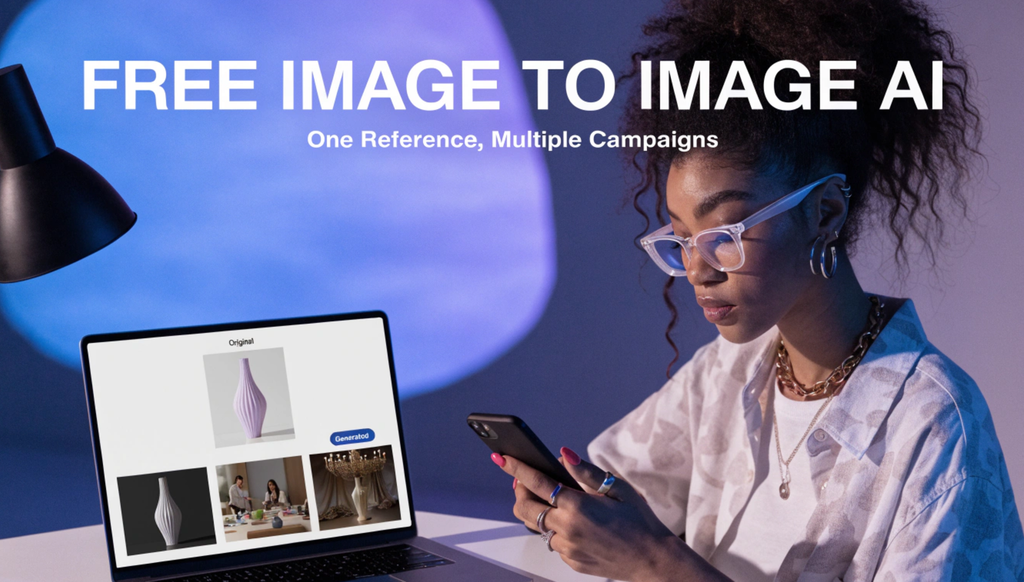
This workload can be lighter with free image-to-image AI. It takes an existing image and edits it according to the prompt sent to it. This is one of the most efficient ways to adjust the style, mood, colors, and overall presence of an image within seconds.
Why Reference Images Are the Real Starting Point
Influencer content is rarely created from nothing. A brand seldom shares mood boards, past campaign photos, product shots, or examples of an approach they like, and the creator’s job is to adapt that reference into something that suits their own feed, their own voice, and the platform it is going on. This adaptation step consumes most of the time, not coming up with the organic concept.
A Free Image to Image AI tool is built specifically for this kind of work. Because it starts from a reference instead of generating purely from a prompt, the output stays anchored to what the brand or creator already approved, while still allowing actual transformation on top of it. That balance matters in influencer campaigns specifically, because the goal is not a completely new image. It is a reinterpretation that keeps the core concept available while fitting a new context.
How This Fits Into a Campaign Workflow
The basic process is easy enough to use under a deadline. A creator or brand starts with a reference image, a previous post, a product photo, a style example, and describes through a prompt how that image should change. The output might shift the color palette to match a seasonal campaign, adjust the artistic style to feel more editorial or more simplified, or recompose the image for a different aspect ratio accurately.
Because the tool is free to use, this suits naturally into the earlier, exploratory part of a campaign, where several directions are being tested before anything is final. Instead of committing a designer’s time to three full concepts, a user can generate several quick variations from one reference, share them with the brand or their own team, and only step forward with producing a final, polished result of the one that gets approved.
As with any AI-generated image, the result is a strong starting point rather than a finished deliverable. Fine details, accurate brand colors, and platform-specific formatting usually need a final pass before anything goes live. Treating the generated version as a first draft, not a finished asset, keeps the workflow authentic.
Three Situations Where This Actually Saves Time
Adapting one approved concept across several platforms is a common and immediate use. A single campaign image often requires a square version for one platform, a vertical version for another, and a relatively different mood for a third. Rather than briefing a designer three separate times, a user can generate adapted versions from the same reference and move faster through the approval process.
Matching a brand’s existing visual style is another tough fit. When a brand shares past campaign imagery as a reference, a user can use that image as the starting point and prompt for a version that fits their own content while aligning visually aligned with what the brand has used before. This reduces the back-and-forth that generally happens when a creator’s first draft misses the whole brand’s tone.
Testing creative direction before full production supports both sides of a campaign. A brand unsure whether a brighter, more attractive style will outperform a muted, editorial one can see both directions generated from the same reference before finalizing budget for a full shoot or a paid designer. This turns a subjective argument into something both sides can actually look at side by side.
What to Check Before Anything Goes Out
A few habits keep this process from creating issues after content is posted rather than before.
Confirm usage rights on the authentic reference image. If the source image belongs to the brand, a stock library, or another creator, make sure there is permission to use and alter it before generating anything from it. Transformation through AI does not prevent the underlying rights question.
Review the output for brand accuracy. Logos, exact brand colors, and product information can shift slightly while transforming, and these details matter more in sponsored content than in casual personal posts. A quick comparison against brand guidelines before the final result avoids an easily avoidable revision process.
Check platform-specific needs before exporting. Each platform has its own preferred dimensions and formatting, and a generated image may require resizing or cropping to actually fit where it is going. Building this check into the workflow avoids a design that seems right in isolation but gets cropped poorly once posted.
Disclose AI involvement where needed. Some platforms and regions have specific rules around disclosing AI-generated or AI-modified results in sponsored posts. Checking the relevant requirements before publishing keeps a campaign compliant, not just quick.
Why Speed Matters More in This Context Than Elsewhere
Influencer marketing runs on a tighter clock than most other creative departments. Trends shift within days, platform algorithms reward timely content, and a campaign concept that consumes two weeks to produce has often lost its relevance by the time it goes live. A free platform that lets creators and brands iterate on a reference image in minutes instead of days fits that pace in a way traditional design workflows usually cannot, without needing either side to sacrifice the ability to course correct before anything is finalized. Similarly, there are image-to-video AIs that are also available to generate videos from an image.
Final Thoughts
The value of Free Image to Image AI in influencer campaigns is not that it steps over the creative judgment involved in a good campaign. In fact, this is one of the top digital skills that removes the complication between having a reference and having many usable adaptations of it, letting creators and brands test, adjust, and finalize ideas at the pace the work really demands. For campaigns where the brief changes daily and the deadline never shifts, that kind of speed is often what determines whether a good idea really ships on time.
FAQs
- What is a free image-to-image AI tool?
A free image-to-image AI tool transforms an existing image using text prompts that allow users to adjust its style, color, composition, and overall appearance.
- How can creators use image-to-image AI for influencer campaigns?
Creators can adapt reference images for different social media platforms, test visual styles, and produce campaign variations without starting from scratch.
- Do AI-generated campaign images need editing before publication?
It is recommended to review brand colours, logos, product details, image dimensions, and usage rights before publishing to edit missing details, if any.