AI Photo Video Maker: Transform Still Photos into Cinematic Videos
Jump To Key Section
- What Is an AI Photo Video Maker?
- Why Use AI to Create Video from Photos?
- Why Pollo AI Is Worth Trying
- How to Create a Photo Video with Pollo AI
- Keep Character Consistency with One Reference Image
- Choose the Right Style for Your Video
- Practical Use Cases
- Tips for Better AI Photo Videos
- Make Photos Look Professional Without Editing Skills
- FAQs
Transforming a still image into a cinematic video is no longer as difficult as it may sound. With an AI photo video maker, a single photo or a small set of pictures can become a dynamic clip easily.
Such videos can include motion, lighting, and style. AI can add realistic movement, cinematic effects, and visual consistency automatically.
This guide explains how to create videos from photos with AI, what to focus on most, and how such platforms help you create videos for different brand campaigns and products.
What Is an AI Photo Video Maker?
An AI photo video maker transforms still images into moving videos. Instead of manually animating layers, you upload a photo, describe the motion or style, and the AI generates the clip. It can include camera movement, environmental motion, lighting changes, and visual effects.
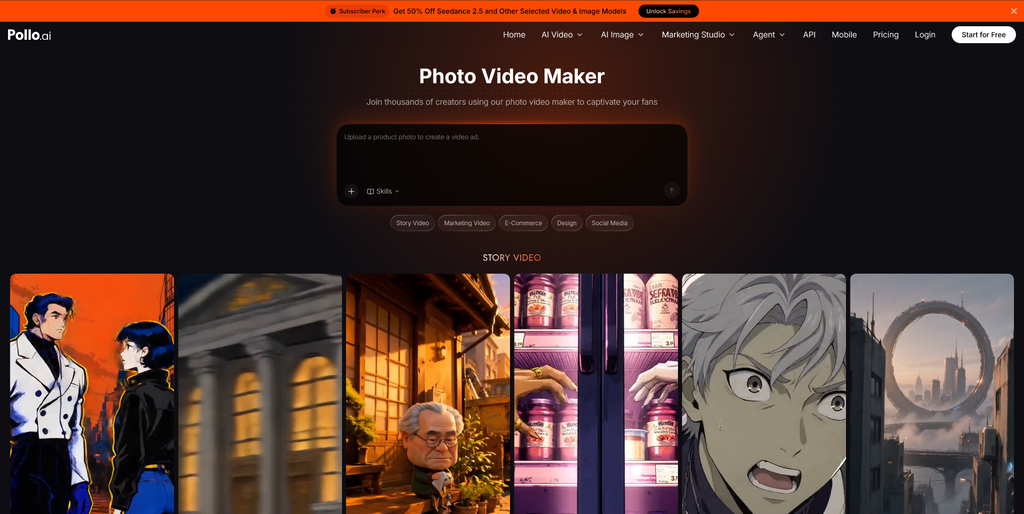
Pollo AI’s photo video maker is especially designed for this workflow. It supports one or multiple images, lets you enter a motion prompt, and produces a finished video. This is valuable when you want to create video from photos quickly, without editing software or production equipment.
Why Use AI to Create Video from Photos?
Photos are easy to collect, but video usually performs better. It can retain attention, explain a product, and fit social platforms more naturally. AI helps close the gap.
With an image-to-video maker, you can:
- Turn product photos into short promo clips.
- Make listing photos feel more immersive.
- Create consistent social content from a single brand image.
- Test different visual styles without reshooting.
- Produce multiple variations for ads and organic posts.
The main advantage is speed. You can develop more content from assets you already have.
Why Pollo AI Is Worth Trying
Pollo AI is worth trying as it supports multiple images, different styles, and simple prompt-based editing. You can even create cinematic 16:9 videos in 1080p for YouTube, presentations, and ads.
Pollo AI also has a 4.4 rating on Trustpilot, which shows users find it accessible and useful. Results still depend on the original image’s quality and prompt clarity, but the workflow is simple enough for beginners and practical enough for marketers.
How to Create a Photo Video with Pollo AI
Pollo AI keeps the process straightforward. You do not need editing experience.
Step 1: Upload Images and Write a Motion Prompt
Upload one or more photos, then describe what should move. For example:
- “Slow zoom in with soft wind moving the hair.”
- “Make the product rotate gently with studio lighting.”
- “Add moving clouds and warm sunset light.”
A clear prompt works much better than a vague one. Prioritize subject, motion, and mood.
Step 2: Choose Customization Options
Set the style, aspect ratio, and visual direction. Use 16:9 for YouTube or presentations, and vertical for TikTok, Reels, or Shorts. You can also select realistic, cinematic, anime, cartoon, or 3D animation styles.
Step 3: Create and Download
Click Create, review the result, and download the video. If the motion feels too strong or too subtle, alter the prompt and generate again. Small changes often produce the best output.
Keep Character Consistency with One Reference Image
One of the toughest parts of AI video is keeping the subject consistent. If you are building a brand, series, or character, the visuals should look stable from one clip to the next.
Pollo AI can utilize your photo as a reference to help retain consistency. This is useful for creators who want a recognizable visual identity. It also helps when you require several videos that feel like part of the same campaign.
Use a clean image with a clear subject. Avoid heavy blur, extreme angles, or crowded backgrounds if you want more stable results.
Choose the Right Style for Your Video
An AI photo video maker is not limited to realistic motion. You can create different looks depending on your goal.
- Realistic: best for products, people, and property videos.
- Cinematic: good for ads, brand stories, and YouTube intros.
- Anime: useful for stylized social content.
- Cartoon: great for playful campaigns.
- 3D animation: helpful for modern brand visuals.
When writing your prompt, mention the style directly. For example: “Create a cinematic video from this product photo with slow camera movement and soft studio light.” This provides the AI with clearer direction.
Practical Use Cases
The following are the practical use cases for different needs:
Social Media Creators
Creators can transform one photo into multiple short videos. This helps maintain a posting schedule without shooting new content every day.
E-commerce Brands
Product photos can become cinematic showcase videos. Use motion to highlight texture, shape, or details. A short product video can enhance engagement and help shoppers understand the item better.
Real Estate Agents
Listing photos can become property tour-style videos. Add slow camera movement, brighter lighting, or a warmer atmosphere to make a listing feel more inviting.
Marketing Teams
Brand teams can create multiple ad variations from the same image. Test different styles and moods, then compare performance.
Tips for Better AI Photo Videos
To get professional results, follow these practical tips:
- Use high-resolution images. Blurry photos often produce weaker videos.
- Keep the subject clear. A strong focal point helps the AI create cleaner motion.
- Write specific prompts.
- Avoid too many actions in one prompt. Add motion step by step.
- Match the aspect ratio to the platform.
Make Photos Look Professional Without Editing Skills
The biggest benefit of an AI picture video maker is greater accessibility. You do not need to learn key frames, masking, color grading, or complex timelines. The platform handles much of the technical work.
This is especially useful for small businesses and solo creators. You can focus on the message instead of the editing process. With Pollo AI, you can design polished videos from photos in a few practical steps.
It is a great option when you need content quickly but still want it to appear professional. If you want more video content from existing images, Pollo AI is a practical tool to try.
FAQs
Ans: Creators can transform one photo into multiple short videos. This helps maintain a posting schedule without shooting new content every day.
Ans: Use a clean image with a clear subject. Avoid heavy blur, extreme angles, or crowded backgrounds if you want more stable results, and most importantly, create a detailed prompt.
Ans: The following are the styles you can go for:
- Realistic
- Cinematic
- Anime
- Cartoon
- 3D animation