AI Animation for Social Media: Creating Videos With Flova AI
Jump To Key Section
AI animated videos can genuinely boost your business’s online presence by helping you explain your product, share ideas, and connect with your audience through moving visuals. It can also make your message more interesting for your audience and can simplify the information as well.
An educational video can offer an explanation of the process, whereas a promotional animated video can show the benefits of the product. Make sure what the viewers will learn or understand before making a video.
Flova AI can help in creating visuals, assembling videos, and planning scenes. If you have a good plan, you can easily convert your idea into an animated social media video to boost your business’s online presence.
Whats is Flova?
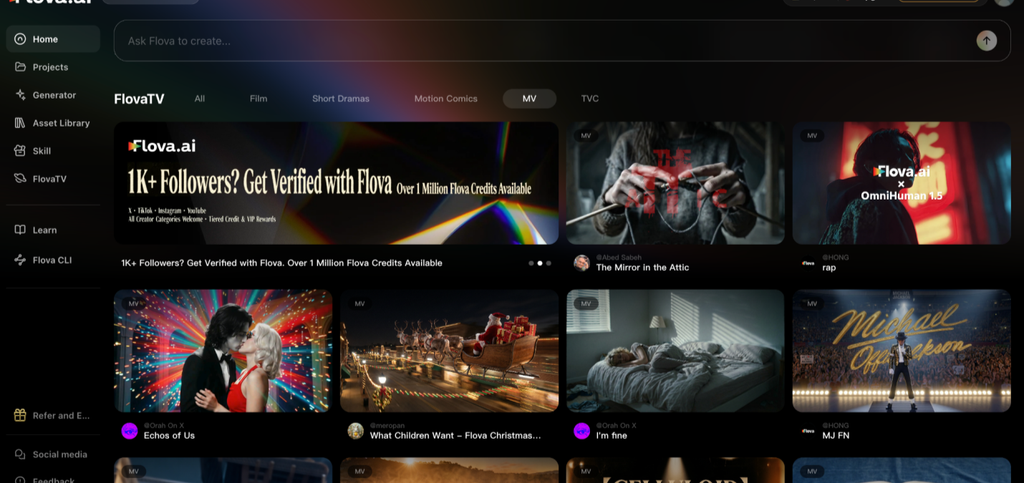
Flova is an AI video creation platform that brings planning, media generation, and editing into one workspace. You can describe an idea in natural language or add a script and reference materials. Flova Agent can help develop the story, plan a storyboard, generate scenes, and assemble them into a video. You can review the results, adjust individual shots, and keep useful character and setting references together in the project. Flova also supports the creation of images, video, and music for both short content and longer productions.
Pros
- Create different media in one place: Generate images, videos, and music within the same project.
- Work in natural language: Describe what you want to make without writing technical prompts.
- Use reusable Skills: Follow and adapt creative workflows for popular video formats without repeating the same instructions for every project.
- Make short or long videos: Create short social media content or develop longer video projects.
- Aim for high-quality results: Review and refine generated scenes as the video develops.
- Keep visuals consistent: Reuse character and setting references to help maintain a consistent look across shots.
- Edit specific parts: Change a specific part of the video without starting the entire project again.
Cons
- Credit costs vary by model: Different models use different amounts of credits, and some popular models may cost more per generation.
- Long videos take more resources: Longer projects may need more time to refine and more credits to complete.
- Free access is limited: Users on the free plan can use only some of the available models.
Start With the Purpose of Your Animation Video
Each animation video should have a clear purpose. You could be trying to advertise a product, describe a service, or encourage viewers to visit your site.
The style and length of your video also depend on your audience. A social media video may need to present its main point quickly, whereas a business explainer can provide more detail.
Focus on one primary message and support it with relevant scenes. This will make your video easier to follow and help viewers understand its purpose.
Plan Your Video Before Creating the Animation
- Set a goal: Decide whether to promote a product, explain a service, or build brand awareness.
- Know your audience: Consider viewers’ interests and needs.
- Write the script: Write your own script, or give Flova Agent an idea and ask it to develop one.
- Select a style: Choose an animation style that suits your message and audience.
- Gather materials: Find product images, logos, and other useful references.
- Choose a platform: Decide where the video will appear and plan its format accordingly.
A Practical Workflow for Creating Social Media Animations With Flova AI
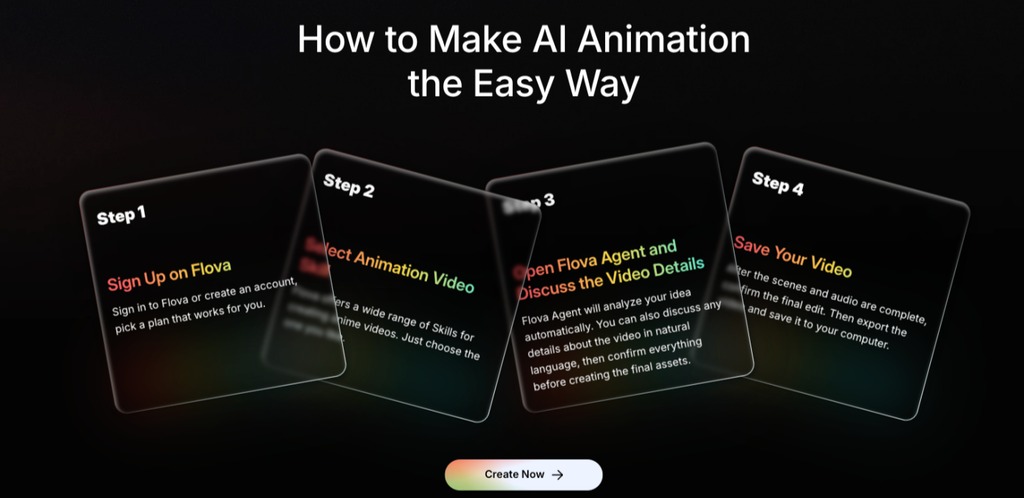
Step 1: Choose a Video Concept
Determine what you want the animation to communicate to its audience. You can begin with a rough idea and discuss it with Flova Agent to develop the story or script.
Step 2: Organise the Scenes
Ask Flova Agent to break down the idea or script into scenes, with each scene presenting a key action or point. Review the storyboard and organise the scenes in a logical sequence.
Step 3: Describe the Visuals and Movement
Describe the setting, subjects, actions, and visual style. Confirm the character and setting designs you want to use in later shots. Clear directions help guide how each scene looks and moves.
Step 4: Generate the Animated Scenes
Generate images and animated shots with Flova AI according to the storyboard. Check each scene and identify any details that do not match your idea.
Step 5: Review and Improve
Look at the order of the scenes, visual consistency, and transitions. If one shot needs work, describe the change to Flova Agent and revise that part without redoing the entire video.
Step 6: Arrange the Final Video
Arrange the scenes in sequence and adjust the pacing. Add suitable audio, watch the entire video, and make any final changes before exporting it.
Adapt Your Animation Video to Different Platforms
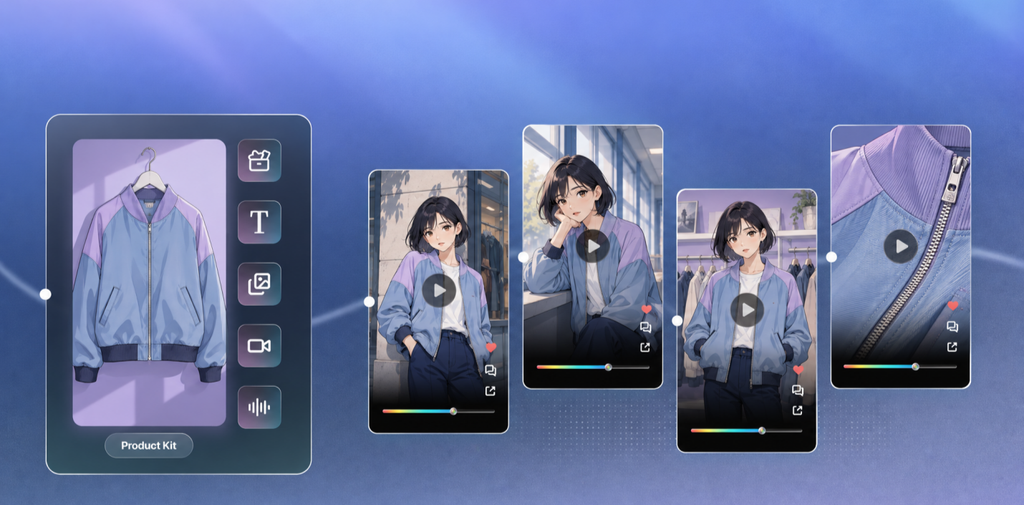
Different platforms call for different approaches. A short, playful animation with a clear opening may suit TikTok or Instagram Reels, while a YouTube Short can focus on a brief story or one useful idea. For LinkedIn, an animation that explains a product, service, or business process may be more appropriate. A video on your website can take more time to cover the details.
Before publishing, check the video’s length, aspect ratio, and pacing on the platform where it will appear. Make sure the main subject and key information remain visible on a mobile screen and are not covered by platform controls.
You can also adapt one animation for several channels. Prepare a shorter version for social media and a more detailed version for your website or presentations. Adjust the opening and scene order for each version rather than relying on the same edit everywhere.
Animation Video Checklist Before Publishing
- Review the message: Make sure the main point is clear.
- Check scene sequence: Check that the scenes flow smoothly.
- Inspect visuals: Look for inconsistent details or styles.
- Check audio: Make sure dialogue is clear, and music fits the video.
- Check the format: Make sure the video suits its intended platform.
- View the entire video: Check the pacing, transitions, and ending.
Conclusion
Producing an animation video with Flova AI can begin with a clear goal and a rough idea. Flova Agent can help develop the script and organise the scenes, while suitable visuals and your revisions help turn the idea into a finished video.
Whether you are creating content for social media or a business explainer, review the final video before publishing. Adjust it for your audience and platform so that the message remains clear.
FAQs
Ans: Yes, Flova AI can help you create an animated AI video; you just have to upload the reference images or product images. You can also check the small details, like the brand logo.
Ans: Yes, commercial use is included with the paid plan in Flova AI. Make sure you have music rights or own music, logo, or reference characters you upload.
Ans:In Flova AI, you can choose your preferred aspect ratio, duration, tone, and call to action directly while talking to the Flova agent.