The Budget Bride and Groom’s Guide to Beautiful Wedding Visuals
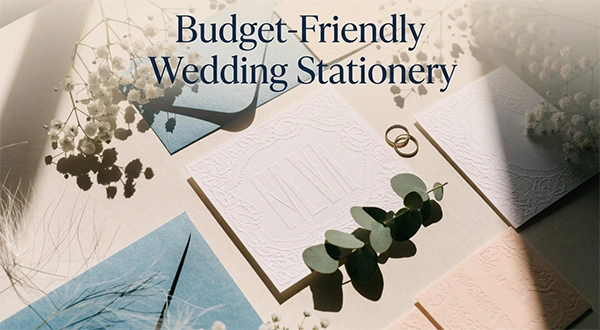
Getting married comes with a lot of little details, and among them is making a stunning visual theme for your wedding. Every visual design you do, from invitations to welcome signs, wedding websites, and announcements on social media, helps tell the story about your love as a couple.
Unfortunately, doing all these little things can very easily become very costly once you use professionals. Luckily, having amazing and stylish visuals for your wedding does not have to break the bank.
With a clear theme, a little creativity, and helpful tools like the EzMaker AI photo editor, you can design beautiful wedding materials that feel special, look polished, and reflect your personality without spending a fortune.
Where the Visual Costs Hide
Both the photographer and the location are usually budgeted for by most people, while overlooking other less expensive yet important details:
- Save-the-date cards and digital announcements
- Invitations and RSVP pages
- A wedding website banner and gallery
- Welcoming signs, number placards, and menus
- Thank-you cards and post-wedding social posts
Each item may cost little alone, but together they can reach hundreds of dollars. A consistent DIY approach saves money and gives you more control over the style.
Step 1: Choose One Look and Commit
The largest design problem in the DIY project involves the use of too many styles. Three key things to know before designing include:
- A color palette of three or four shades, such as dusty blue, ivory, and soft gold.
- A mood, such as romantic, playful, classic, or modern minimalist.
- A recurring element, such as botanical borders, a monogram, or a particular type of lighting.
Write these down. Every visual you make from now on should match them. Consistency is what gives homemade designs a professional appearance.
Step 2: Gather Inspiration Before Creating
Spend a week collecting references. Save photos, color swatches, and layouts you love. Notice patterns: do you keep choosing warm sunsets, or crisp white spaces? These patterns show you your true taste, which is usually different than what you thought.
If you want to see concepts quickly, a free AI wedding photo generator can turn written ideas into sample scenes, so you can test a garden, beach, or ballroom mood before spending anything on decor or printing.
Step 3: Build Your Core Set of Visuals
Start with the pieces guests see first.
- Save-the-dates. Keep them simple: one strong image, your names, the date, and the location. The digital ones are free to transmit and immediate.
- Wedding website banner. A wide, uncluttered image works best, with space for text. Think about where your names will sit before you finalize the picture.
- Invitation artwork. Use the same palette and style as your save-the-date so the two feel like a set.
- Signage and table elements. Reuse your main artwork in various sizes. A recurring motif ties everything together.
Step 4: Edit and Polish
Unprocessed images hardly ever look ready. Even tiny changes can have a large impact.
- Crop to fit each format, such as square for social, tall for invitations, and wide for banners
- Balance brightness and warmth so all images feel consistent
- Get rid of any distracting items during photo sessions
- Soften or blur busy backgrounds so text stays readable
Spend a little time on this step, and your DIY pieces will look far more expensive than they are.
Step 5: Check Print and Digital Needs
Before ordering anything, confirm these details:
- Resolution: Print needs higher quality than screens, so avoid tiny, blurry source files.
- Dimensions: Match the printer’s size specifications, including margins.
- Color: Screens and printers display color differently, so order one test copy first.
- Readability: Make sure text is legible at the size guests will actually see it.
Money-Saving Tips That Work
- Go digital first. Send save-the-dates and RSVPs online, and print only what you truly need.
- Reuse assets. One single image can serve as a banner, a logo, and even as a post.
- Print locally in small batches. Order a sample before committing to a large run.
- Skip what nobody notices. Guests rarely remember extra printed extras, but they do remember a warm, cohesive atmosphere.
- Ask a talented friend. A friend with design skills may happily review your layouts.
Keeping It Personal
Budget-friendly need not be generic. Add details that only you two have: a nickname for your first apartment, a favorite song title, the coordinates of where you met. These small touches make simple designs feel meaningful.
Remember to use generated or edited photos when it comes to planning and designing. Your real photographer and real memories will always matter most on the day itself.
A Few Responsible Reminders
- Get consent before using photos of other people, including friends and family.
- Check usage terms of any tool or template before printing or distributing widely.
- Be mindful of privacy when sharing images online, especially of children or guests.
Final Thoughts
A perfect wedding doesn’t need a large design budget. It requires a clear style, consistent execution, and a little patience. Choose your palette, gather inspiration, create a core set of visuals, and polish them carefully.
When the invitations arrive and guests say, “This looks just like you two,” you will know the effort was worth it. And the savings from that can be used on something important, like additional hours of dance practice.
FAQs
Ans: Go for a cohesive theme, choose affordable design software, make digital invitations, recycle your graphics for different media, and print only what is necessary.
Ans: AI tools can be used to produce wedding designs by generating ideas for photos, backgrounds, and inspiration.
Ans: The same image, monogram, floral borders, or color scheme can be used in invitations, welcome sign, menu, table number, website banner, and social media post.
Ans: Image resolution, size, margins, colors, and text readability. It might be better to order a sample invitation first before ordering all of your invitations at once.