What is Contactless Attendance? Kiosk Mode, QR Scans & GPS Explained
Many businesses still record their shifts the way it was done twenty years ago. Inputting it on a paper sheet near the door, copying the same on a spreadsheet, and by payday, nobody recalls who arrived late on Tuesday.
Contactless attendance eliminates that guesswork completely. Staff can log hours without messing with a pen or a keypad. A great attendance management system records the punch, timestamp, and location simultaneously. Everything is present in a single dashboard.
This guide breaks down the three methods that make the system work with your workflow and which setup best suits your workplace.
What Contactless Attendance Actually Means
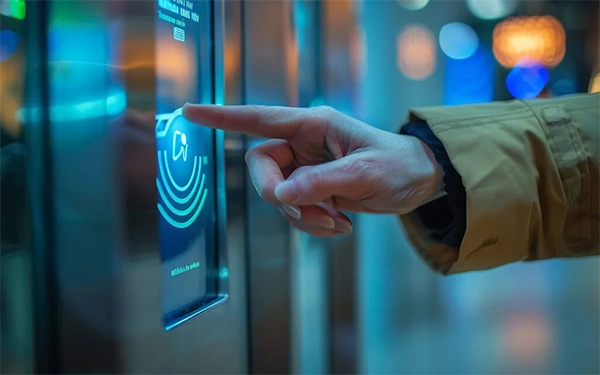
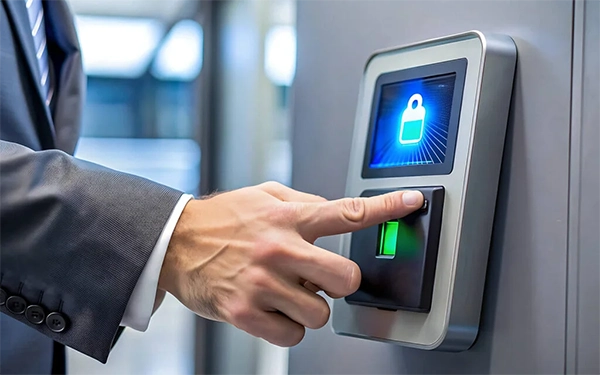
Contactless attendance means employees clock in without establishing physical contact. No punch cards. No fingerprint pad that fifty people press each morning. The record gets created digitally and stored instantly.
The idea grew during the pandemic but stayed for specific reasons. Hygiene was the first driver. Speed and accuracy turned out to be the bigger ones.
Three methods dominate the category today:
- Kiosk mode turns a tablet into a shared check-in terminal.
- QR scanning gives each worker a unique code to present.
- GPS tagging attaches location coordinates to every mobile punch.
Most organizations end up using two of these techniques together. A warehouse might run a kiosk at the gate and GPS for drivers. The right mix depends on where your people actually work.
Kiosk Mode Turns a Tablet Into a Time Clock
Kiosk mode is the most common entry point for site-based teams. You mount an old iPad or Android tablet near the entrance. The app locks into a unique screen that only handles check-ins. Nobody can browse the web or open other apps.
Workers walk up, enter a four-digit PIN, and the punch registers. Some systems capture a photo at the same moment. That photo stops one employee from clocking in for another.
Kiosk mode suits these situations well:
- Retail stores where staff arrive through one back entrance.
- Childcare centers that need a visible front desk record.
- Warehouses running shift changes at fixed gates.
- Offices replacing an old mechanical punch clock.
The motivating factor here is cost. You do not buy proprietary hardware from a provider. An unused tablet in a drawer becomes your time clock this afternoon.
QR Scans Give Every Worker a Personal Code
QR codes solve a new problem. PINs can be shared, and coworkers do share them. A unique code assigned to one person is much harder to pass around.
Each employee finds a code on their phone or a printed badge. They hold it up to the kiosk camera. The scan takes under two seconds. The system logs who scanned, when, and at which terminal.
Speed matters more than most employers expect. Twenty workers arriving at 8 am creates a queue. A two-second scan resolves that line quickly. A shared keypad does not.
QR scanning also helps firms that hire seasonal staff. You generate a code, the person works, and you deactivate it later. No hardware enrollment. No biometric validation paperwork to manage.
The trade-off is that codes can be screenshotted. Pairing QR with photo capture closes that gap. Most businesses run both together.
GPS Tagging Proves Where the Punch Happened
Kiosks are efficient when everyone comes to one place. Field crews never do. Plumbers, landscapers, and site supervisors start their day at a customer address.
GPS tagging assigns coordinates to each mobile clock-in. The worker taps a button on their phone. The record stores the time and the map position together. Supervisors can observe both in one view.
This matters for several reasons:
- Billing clients accurately for on-site hours worked.
- Confirming a technician reached the assigned job address.
- Settling arrival time differences with clear evidence.
- Meeting record-keeping duties during a labor audit.
One caution is worth conveying plainly. GPS tagging should capture the punch moment only, not follow people all day. Constant tracking damages trust and often contradicts local privacy law. Tell your staff exactly what gets recorded. Most people accept a single location stamp once they understand its limits.
Offline functionality belongs in this conversation too. Construction sites and rural routes lose signal constantly. A capable app stores punches locally and syncs later. Without that, your field records will have imperfections.
What Businesses Gain When They Switch
The benefits show up fairly quickly in payroll preparation. Hours arrive already totalled and already attributed. Nobody deciphers handwriting or chases a missing sheet.
Here is what most companies notice within the first month:
- Payroll prep drops from hours to minutes.
- Buddy punching stops once photos and codes go live.
- Managers see attendance without calling each site.
- Records stay at hand for audits and compliance requests.
- Disputes shrink because timestamps replace memory.
Cost predictability is the other incentive. Many vendors charge per employee each month. That model punishes you for hiring. Flat-rate pricing keeps the bill steady whether you run ten staff or two hundred.
Picking the Right Method for Your Team
Commence by mapping where your people begin their shift. That single question decides most of your setup. Everything else follows from it.
Use this as a rough guide:
- Choose kiosk mode when staff report to fixed locations.
- Choose QR scanning when queues form at shift changes.
- Choose GPS punches when crews perform at client sites.
- Combine methods when your workforce follows both patterns.
Then check three practical things before you commit. Does the app function offline? Can you export reports your accountant will accept? Does the price hold steady as headcount grows?
Skip any tool that demands proprietary hardware. Your current tablets and phones are enough. Firms that buy dedicated terminals often replace them within three years.
Conclusion
Contactless attendance has evolved from a health precaution to an operational standard. Kiosk mode covers fixed sites, QR scanning speeds up busy shift changes, and GPS tagging handles crews spread across client addresses. None of these systems requires special equipment or a long rollout. The tablet in your storeroom and the phones your team already carries are enough.
What separates a functional setup from a frustrating one is usually not the feature list. It comes down to three things:
- Offline capture that holds records when the signal drops.
- Export formats your payroll process can actually use.
- Pricing that stays flat as your headcount grows.
Check those three before you review anything else. A provider that fails any one of them will create work rather than remove it.
Open your last four weeks of timesheets and count the adjustments you made by hand. That number is what a digital record gives back to you.
FAQs
- Offline capture that holds records when the signal drops
- Export formats your payroll process can actually use
- Pricing that stays flat as your headcount grows