Seedance Explained: Text-to-Video, References, and Motion Control
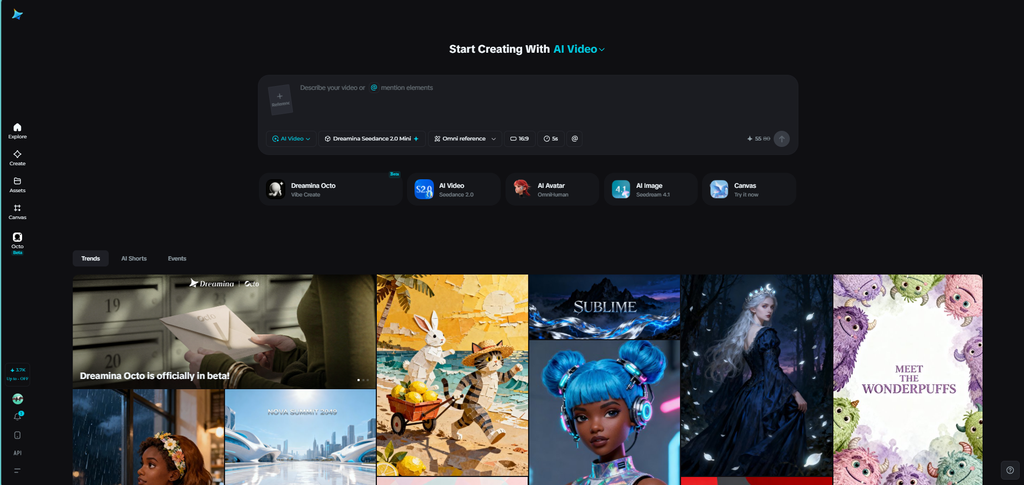
Modern video models are often treated as simple: write a prompt and receive a clip. Sometimes this doesn’t decide if the video is useful or not. The creator just selects a mode, defines the shot’s job, supplies references, reviews motion, and connects the result to an edit.
Seedance is a family of models for expressive motion and reference-guided scenes. Creator works on text, an image, or other supported references depending on the selected version. The important question is not whether Seedance can make a beautiful clip. It is whether the selected mode can make the specific subject, movement, and continuity the story requires.
An AI video generator can surround the model with a broader workflow that turns an article or script into scenes, narration, subtitles, and a reviewable timeline. Seedance is still the visual engine for shots that benefit from expressive motion or reference-guided treatment
Text-to-Video: Establish the Scene in Words
Text-to-video is helpful when there is no fixed opening frame. The prompt must establish the subject, action, setting, camera movement, and mood. If one of those elements is missing, the model has more space to interpret the scene in an unintended direction.
Begin with a single action. “A glass device rotates slowly toward soft window light while the camera pushes in” is easier to test than a prompt that mixes a reveal, transformation, dialogue, multiple photo camera angles, and a logo animation. Once the action is stable, add atmosphere or place the second beat in the next shot.
Also state what should remain unchanged. If the subject should stay centered or the camera should shift gently, say so directly. Specific constraints are more helpful than a long list of stylistic adjectives.
Image-to-Video: Protect the Opening Frame
Image-to-video is useful when the first frame carries important information. A product photograph, approved illustration, or designed composition can add color, shape, and layout before motion is added. The prompt can then focus on how the subject or camera should shift.
Use restrained movement for the first test: a push-in, controlled turn, small environmental move, or gentle parallax effect. If the image stays stable, explore a more complex action. This staged approach reveals whether a problem comes from the reference, action, or camera direction.
Product text, interface labels, logos, and small hardware information may not survive complex transformation. When these details matter, hold the original image longer or cut to actual footage rather than asking generated motion to carry the complete explanation.
Reference-Guided Generation Needs Roles
Reference media works best when every input has a clear job. One image may establish the subject. Another may suggest the setting. A video may offer movement or timing when supported. Audio may influence a scene when the selected mode accepts it.
Note those roles in the prompt. Without that context, the model may combine details in ways that look plausible but conflict. A product image from one model year and another from a different colorway can create a hybrid object. A busy reference video can pull attention away from the specified subject.
Keep a reference log with file names, source, mode, prompt, and chosen output. For teams, this is more useful than saving only the final clip. It lets another editor understand how the result was made and create a successful setup.
Prompt For Temporal Stability
A polished first frame does not guarantee a stable clip. Look for changes in subject shape, extra objects, inconsistent hands or faces, abrupt camera behavior, and actions that stop before they resolve. These are temporal issues: the scene does not hold together as it moves.
Minimize simultaneous changes when stability is poor. Simplify the action, slow the camera, shorten the shot, or use a stronger opening reference. A shorter focused clip may be more helpful than a longer clip that needs heavy repair.
Evaluate motion at the speed and crop of the last publication. A detail that looks acceptable in a large preview may become distracting in a small social player. Review the complete sequence, not only its first and last frames.
Compare Versions Like An Experiment
A fair Seedance test shifts one variable at a time. Keep the subject and action stable while changing the camera. Then keep the camera stable while moving the reference. Save the prompt, inputs, selected mode, output, and reason for acceptance or rejection.
Score clips on subject consistency, action accuracy, temporal stability, visual quality, continuity, and helpfulness in the final edit. A spectacular clip may still be a bad choice if it leaves no room for captions or creates a confusing cut. The best result is usually the one that does its job with the fewest corrections.
Failures are helpful documentation. If a mode struggles with small text or fast multi-object movement, record that boundary. Knowing what not to ask for helps the team select a different shot design, a real asset, or another model.
Build a Responsible Seedance System
Generated scenes should be labeled internally and reviewed for misleading information. A conceptual scene should not be presented as proof of performance. A generated person, voice, logo, or product should not be used for endorsement or ownership without permission.
Keep sensitive material out of references. Use approved product photos, sanitized examples, and licensed media. Review captions, claims, audio, and the final call to action. When generated footage is combined with real evidence, make the relationship clear.
Seedance becomes more helpful as the team builds a library of prompts, reference patterns, approved outputs, and known limitations. The model may change, but the discipline stays: define the shot, control the inputs, test the motion, and judge the result in context.
FAQs
Ans: Seedance is a text-to-video generation model created by ByteDance.
Ans: The key features of Seedance are multimodal inputs, native audio-video generation, high resolution and length, and control and consistency.
Ans:Seedance is owned by ByteDance, a Chinese company.