The End of the Traditional Desktop? Why Cloud PCs Are Changing How We Work
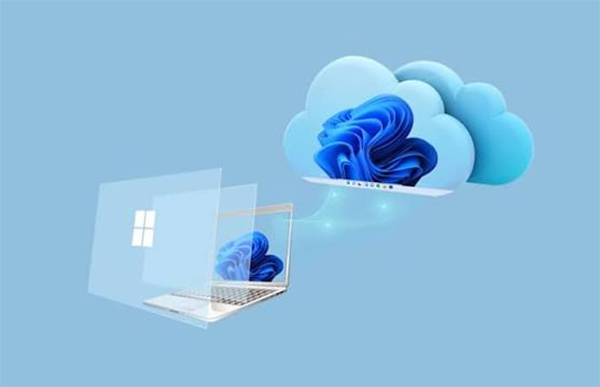
When you open your Windows desktop on a laptop at home, continue the same work on another computer while travelling, and access your applications without carrying your primary workstation everywhere, you know your computer is no longer a device sitting on your desk, but an environment you could access from almost anywhere, more efficiently with Model Context Protocol.
This is the idea behind Cloud PCs. it is a technology that is challenging one of the oldest assumptions in personal computing: that a powerful computer must be physically owned and operated by the user.
Your Next Computer Might Not Be a Computer
For years, getting better computing performance meant buying sufficient hardware. More demanding applications required faster processors, additional memory, and larger storage drives. Every enhancement came with another expense, and eventually, even a powerful computer could become outdated.
Did You Know?
Rather than running Windows entirely on local hardware, the operating system and applications operate on remote servers. Users connect through remote desktop technology and interact with their Windows environment over the internet.
The sophisticated part is not simply that the computer moves to the cloud. It is that the physical device becomes less important to the overall computing experience.
A lightweight laptop or another compatible device can serve as the gateway to a remotely hosted Windows desktop. Computing resources are being offered by the remote environment rather than being determined entirely by the specifications of the local machine.
From Owning Hardware to Accessing Computing Power
This shift could influence how individuals and businesses approach technology spending.
Consider a small business with employees working from different locations. Traditionally, providing everyone with a capable workstation includes purchasing hardware, maintaining individual devices, and managing software environments.
With Cloud PCs, businesses have another option: allow access to remote Windows desktops with configurations suited to different workloads.
For independent professionals, the appeal is equally straightforward. A consistent desktop environment can remain available across supported devices, making it reliable to move between locations without depending on one physical workstation.
Developers, remote workers, and users who depend on Windows applications can also benefit from separating their working environment from their local hardware.
Of course, Cloud PCs are not a universal replacement for physical computers. Internet connectivity, application compatibility, latency, and workload essentials still matter. But for many everyday computing scenarios, the traditional desktop is no longer the only practical choice.
Cloud PCs Are Making Windows Computing More Accessible
WinPC Mart offers Windows Cloud PCs starting at just $5.99/month, with major benefits including:
- Affordable Pricing: Plans start at $5.99/month with no hidden fees.
- Flexible Configurations: Choose CPU, RAM, and storage to match your needs.
- Access Anywhere: Connect to your Windows desktop remotely from supported devices, wherever you have an internet connection.
- Full Windows Desktop: Run business applications, productivity tools, and everyday software in a familiar Windows environment.
- Fast Deployment: Get your Cloud PC up and running quickly.
- 24/7 Human Support: Get help from a real technical support team whenever needed.
The Future of Computing May Be About Access, Not Ownership
Traditional desktops aren’t disappearing, but computing is becoming less reliant on physical hardware. What matters increasingly is having access to the Windows environment and resources you require, wherever you work.
Ready to experience cloud computing? Explore WinPC Mart Cloud PCs starting at $5.99/month and take advantage of a 24-hour free trial to get started. And know the difference between a reverse proxy and a load balancer.
FAQs
Ans: A Cloud PC allows users to access their Windows desktop from anywhere, anytime, without carrying their whole workstation.
Ans: No, traditional desktops are not disappearing, but computing is becoming less reliant on physical hardware.
Ans: Major benefits of a Cloud PC are affordable pricing, flexible configurations, a full Windows desktop, and quick deployment.